Former Windows Chief Criticizes Windows 11’s Incomplete Taskbar
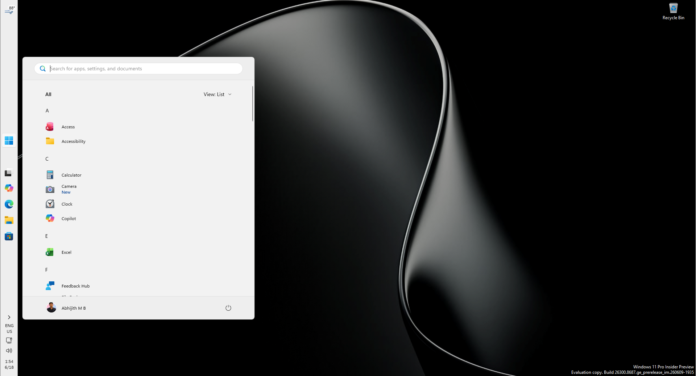
Mikhail Parakhin, MS’s former head of Windows and Bing, has criticized the company for continuing to ship what he considers an unusable Windows 11 taskbar experience. Although users can now reposition the taskbar, automatic hiding remains unavailable when it is placed at the top or sides of the screen. His frustration comes more than five years after Windows 11 initially launched.
After installing Windows 11 version 26H2, Parakhin said he had been looking forward to the return of a left-side taskbar. However, he found the implementation unsuitable because auto-hide did not work and the taskbar’s size could not be adjusted. He publicly urged Pavan Davuluri, MS’s current Windows chief, to deliver a complete version of the feature.
Davuluri has not publicly responded to Parakhin’s criticism.
A Long-Standing Dispute Over Taskbar Design
This is not the first time a former Windows executive has questioned MS’s decisions about the operating system. It is also not a new concern for Parakhin. Earlier in 2026, he said he had strongly advocated within MS for preserving the movable taskbar. He described a vertical taskbar with auto-hide enabled as one of the most productive configurations and said he had used Windows that way for most of his life.
According to Parakhin, Windows 11 abandoned several Windows 10-era capabilities because its designers wanted a symmetrical pane-based experience. Features such as Weather, Widgets, and News were positioned on the left side of the screen, while notifications and system controls occupied the right. A vertical taskbar would have conflicted with that layout.
Five years later, MS has restored the vertical taskbar. However, the specific configuration Parakhin preferred—a vertical taskbar with auto-hide—remains unavailable.
Movable Taskbar Arrives With Windows 11 26H2
The movable taskbar and the option to reduce its size began rolling out with the September 2026 Patch Tuesday update. Because the release was gradual, many users did not receive these capabilities until Windows 11 version 26H2 became available.
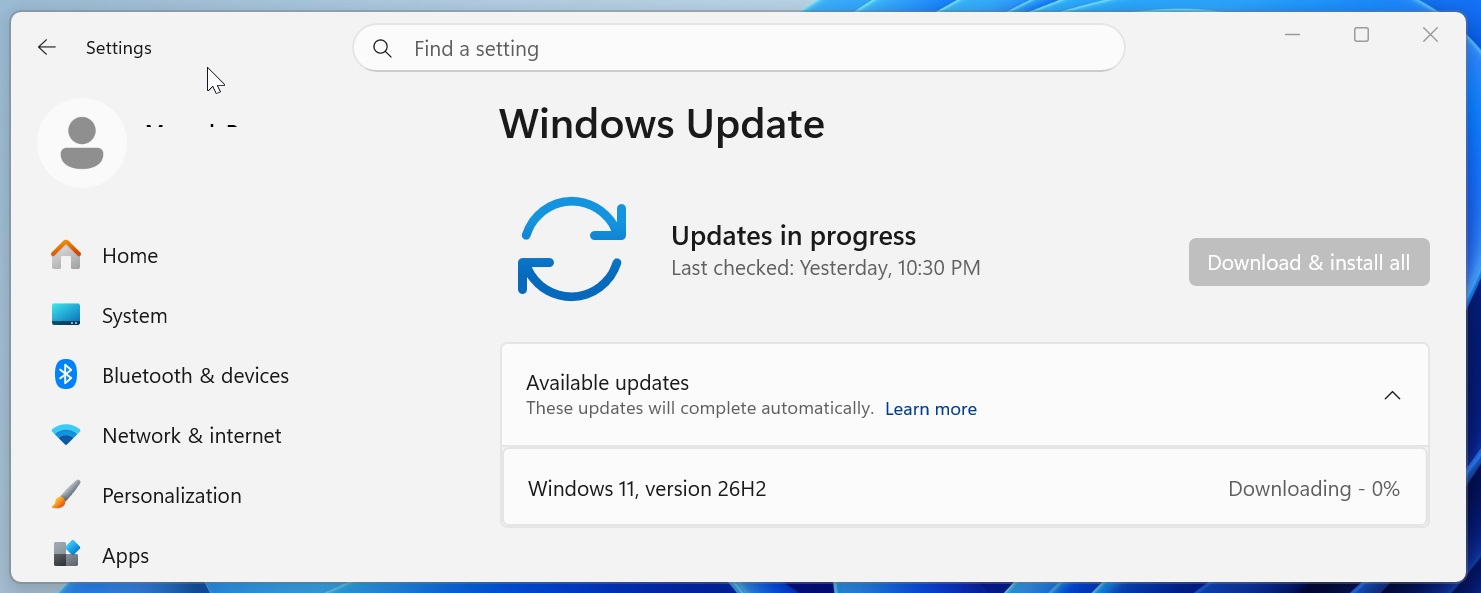
Windows 11 26H2 rolled out on September 29. Although the update did not officially introduce new features, it activated capabilities that had already been delivered to versions 25H2 and 24H2. In most cases, users who were still waiting for the vertical or movable taskbar received it after installing 26H2.
The updated taskbar approaches the functionality available in Windows 10, but several significant limitations remain. For some users, these shortcomings make the older Windows 10 implementation preferable to Windows 11’s modern taskbar.
Windows 11’s Taskbar Upgrade Remains Incomplete
Repositioning Requires the Settings App
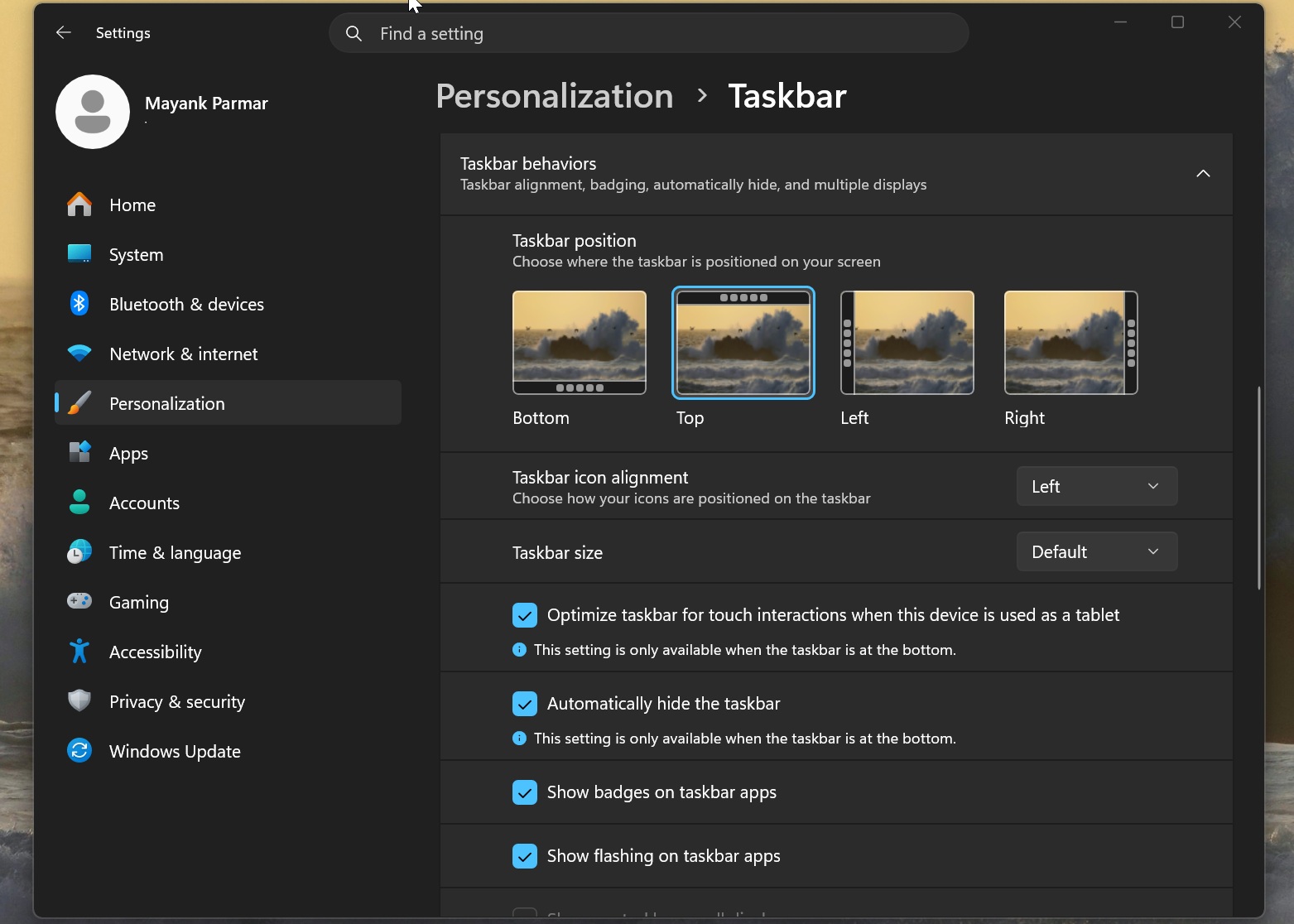
To move the Windows 11 taskbar, users must open Settings > Personalization > Taskbar and locate the layout option. The taskbar can remain at the bottom or be moved to the left, right, or top of the screen.
Unlike Windows 10, Windows 11 does not currently allow users to drag the taskbar directly to another edge of the display. Windows 10 made the process much simpler: users could hold the taskbar and drag it to the side or top of the screen.
MS is reportedly considering restoring drag-based repositioning. However, this limitation may be relatively minor for users who do not frequently change the taskbar’s location.
Auto-Hide Does Not Work at the Top or Sides
A more substantial limitation is that Windows 11 cannot automatically hide the taskbar when it is positioned at the top or sides of the screen. MS has acknowledged this restriction but has not said when support will become available.
If users move the taskbar and leave the “Automatically hide the taskbar” option enabled, the feature will not work. The Settings app displays a warning beneath the toggle stating that the setting is available only when the taskbar is located at the bottom.
Windows 10 allowed users to reposition the taskbar while continuing to use auto-hide. Third-party applications that have enabled taskbar repositioning in Windows 11 during the past five years have also offered automatic hiding. This capability is particularly useful with a side-mounted taskbar because it preserves more usable screen space.
Right-Click and Resizing Options Are Still Limited
Windows 11’s taskbar also lacks the full right-click menu available in Windows 10. The older operating system provided several contextual options, including controls for locking or unlocking the taskbar so it could be resized.
By comparison, the Windows 11 taskbar presents only a limited set of options when users right-click it.
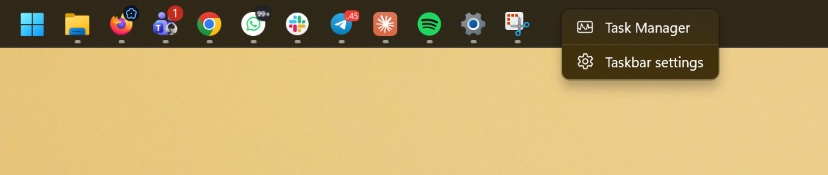
Windows 11 has only recently begun closing this functionality gap. It now includes an option to reduce the size of the taskbar and its icons simultaneously, but users still cannot resize it manually by dragging its edge.
Windows 10 allowed users to grab the taskbar’s edge and increase its dimensions, much like resizing a browser’s vertical tab sidebar. It remains unclear whether MS will restore that capability in Windows 11.
Parakhin Continues to Use Windows
Parakhin, who said he was committed to revitalizing Windows during his brief period leading the platform at MS, left the company in 2025. He now serves as Shopify’s chief technology officer.
Despite his criticism, Parakhin said he continues to use Windows, as well as Linux, for his work. When asked whether he still ran Windows, he replied, “What else would I be running?!”
MS has not publicly addressed the incomplete taskbar functionality in Windows 11 26H2. Based on the current pace of development, it may take several more months before additional Windows 10 taskbar capabilities become available in Windows 11.