Why Windows 11 Stores 64-Bit Files in System32 and 32-Bit Files in SysWOW64

MS does not offer a 32-bit edition of Windows 11, but the operating system must still support decades of 32-bit applications. Its solution relies on two system directories: System32 for native 64-bit files and SysWOW64 for 32-bit files. The WOW64 file system redirector automatically sends 32-bit applications to SysWOW64 when they attempt to access System32.
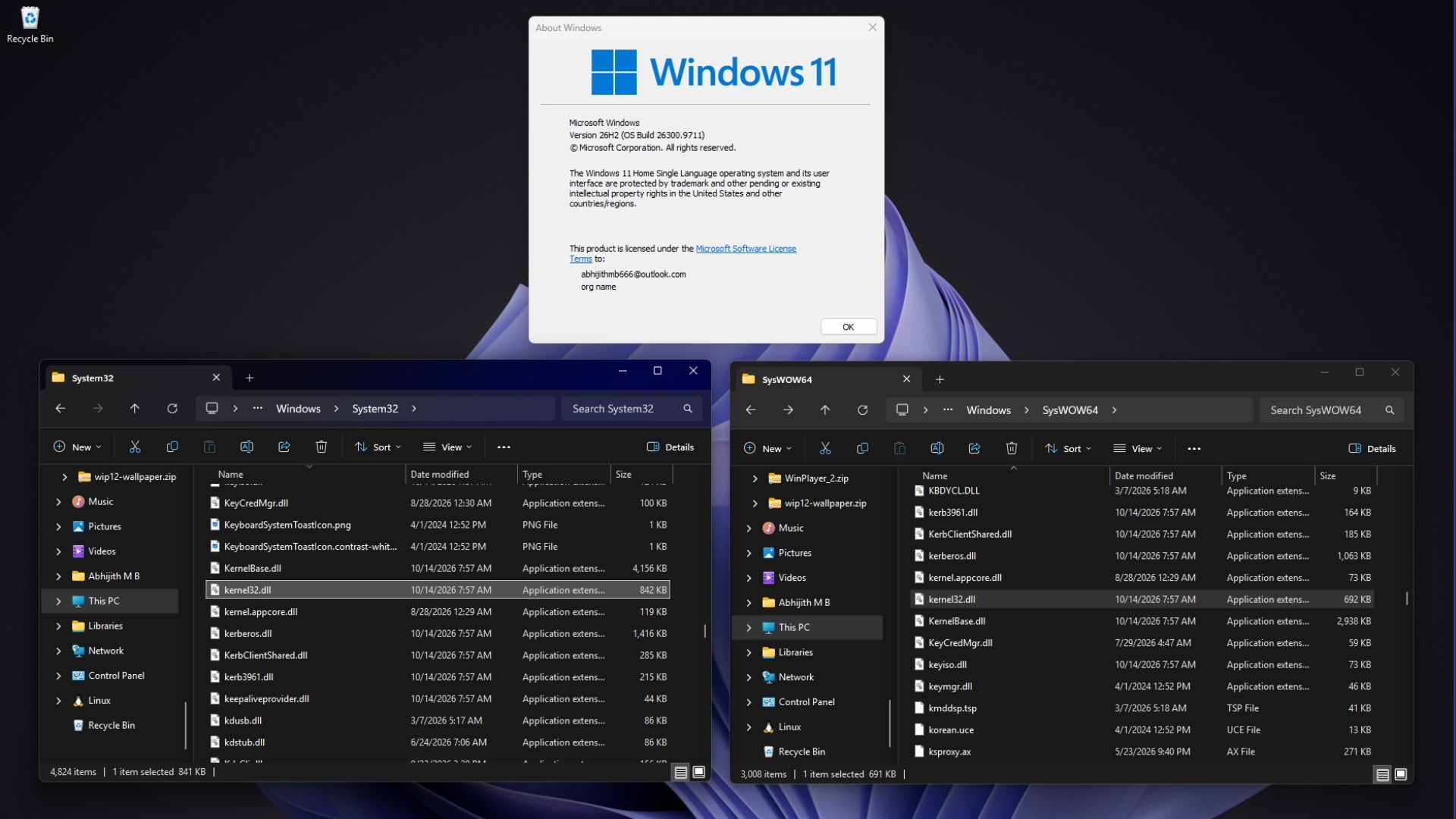
On a PC running Windows 11 26H2, both directories contain a file named kernel32.dll. The files have different sizes because one is designed for 64-bit applications and the other for 32-bit software.
If MS could end support for 32-bit software, as Apple has done, Windows might no longer need this compatibility architecture. However, the large number of existing 32-bit applications makes that transition significantly more difficult.
Why System32 Contains 64-Bit Files
During the era of 16-bit Windows, system files were stored in C:\Windows\System. When 32-bit Windows arrived, MS introduced C:\Windows\System32 for 32-bit files, which explains the directory’s name.
By the time 64-bit Windows was developed, many applications had hard-coded the System32 path instead of obtaining it through the GetSystemDirectory function. MS veteran Raymond Chen explained that after those applications were recompiled as 64-bit programs, they continued looking in System32 but now expected to find 64-bit files there.
Batch files created a similar compatibility problem. If System32 had continued to hold 32-bit tools, a script that executed System32\reg.exe would have modified the 32-bit registry view rather than the expected 64-bit version.
MS therefore decided that System32 would contain files matching the operating system’s native architecture. Its File System Redirector documentation states that the %windir%\System32 directory is reserved for 64-bit applications on 64-bit Windows.
Most DLL names also remained unchanged when MS created 64-bit versions. As a result, kernel32.dll—whose name follows older MS-DOS naming conventions—is called kernel32.dll in both locations. The 32-bit versions consequently needed a separate directory.
Chen noted that the “32” in System32 is now simply part of the name rather than an accurate description of its contents. He suggested that, in an ideal design, the folder might have been named SysExec because it provides files appropriate for the program being executed.
WOW64 means “Windows 32-bit on Windows 64-bit.” It is MS’s compatibility layer for 32-bit applications. The “64” in SysWOW64 refers to the host operating system, even though the directory itself contains 32-bit files. Ironically, 64-bit applications do not use the system folder with “64” in its name.
How Windows 11 Redirects 32-Bit Applications to SysWOW64
A 32-bit process cannot load a 64-bit DLL for execution, and a 64-bit process cannot load a 32-bit DLL. Without redirection, a 32-bit application requesting kernel32.dll from System32 would receive an incompatible file.
On x64 Windows, WOW64 transparently redirects relevant file-system requests whenever a 32-bit application asks for a protected System32 path. The application generally remains unaware that the path has been changed.
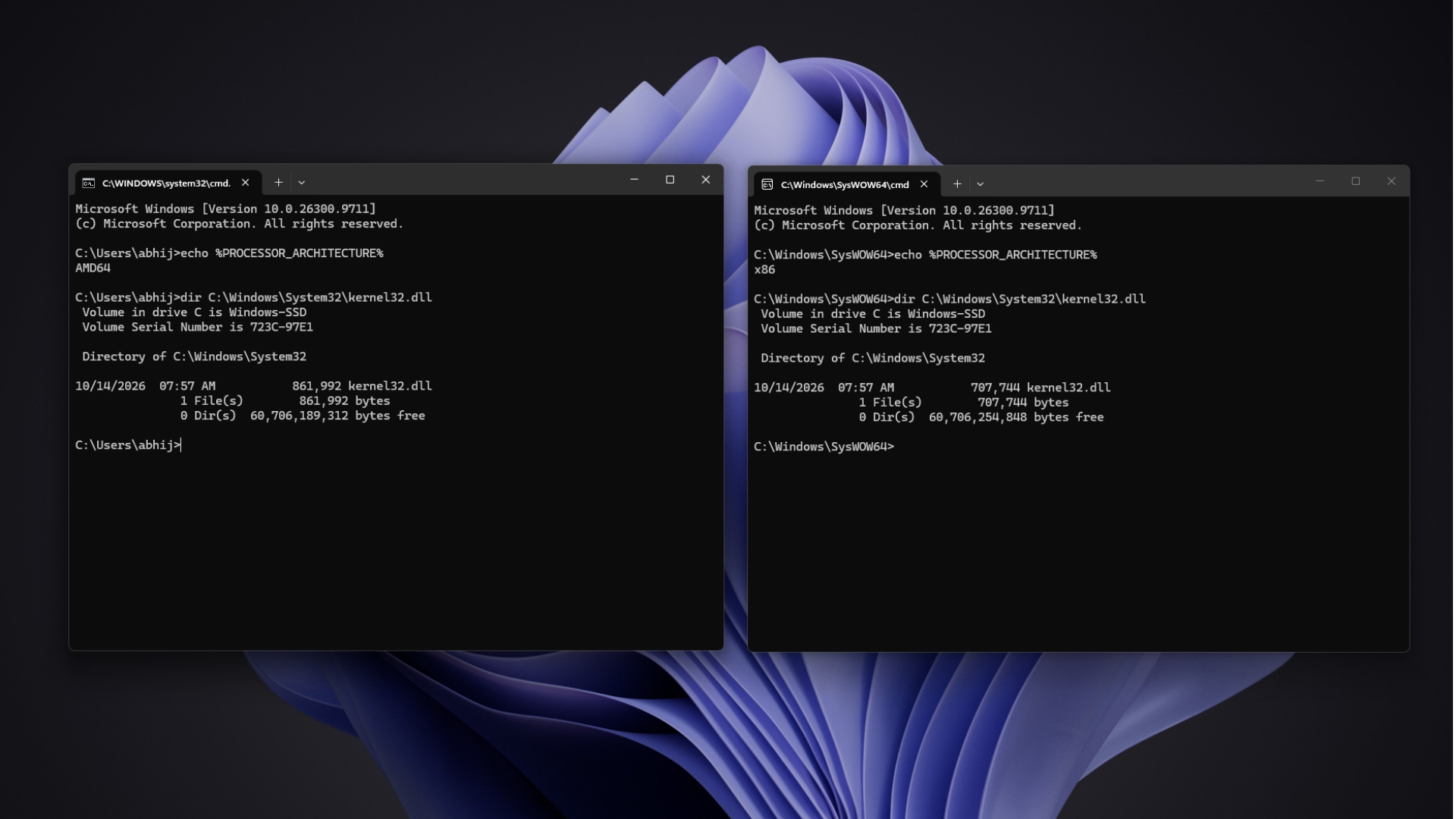
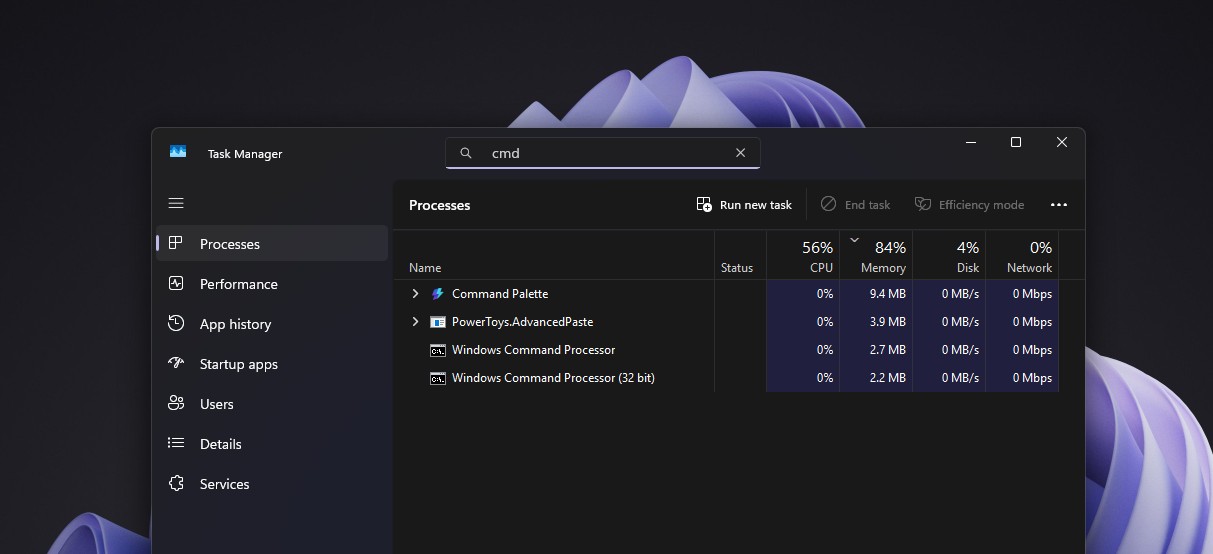
This behavior can be demonstrated by opening the 32-bit Command Prompt from C:\Windows\SysWOW64\cmd.exe. In that window, echo %PROCESSOR_ARCHITECTURE% returns x86, while the standard 64-bit Command Prompt reports AMD64. Running dir C:\Windows\System32\kernel32.dll in both windows displays different file sizes even though the same path was entered, because the 32-bit process is redirected to the SysWOW64 copy.
Even Matt Pietrek, then a member of MS’s Visual Studio team, encountered this behavior. In a 2006 MSDN Magazine article, he described listing kernel32.dll in both directories from a 32-bit Command Prompt and initially being puzzled when the results appeared identical.
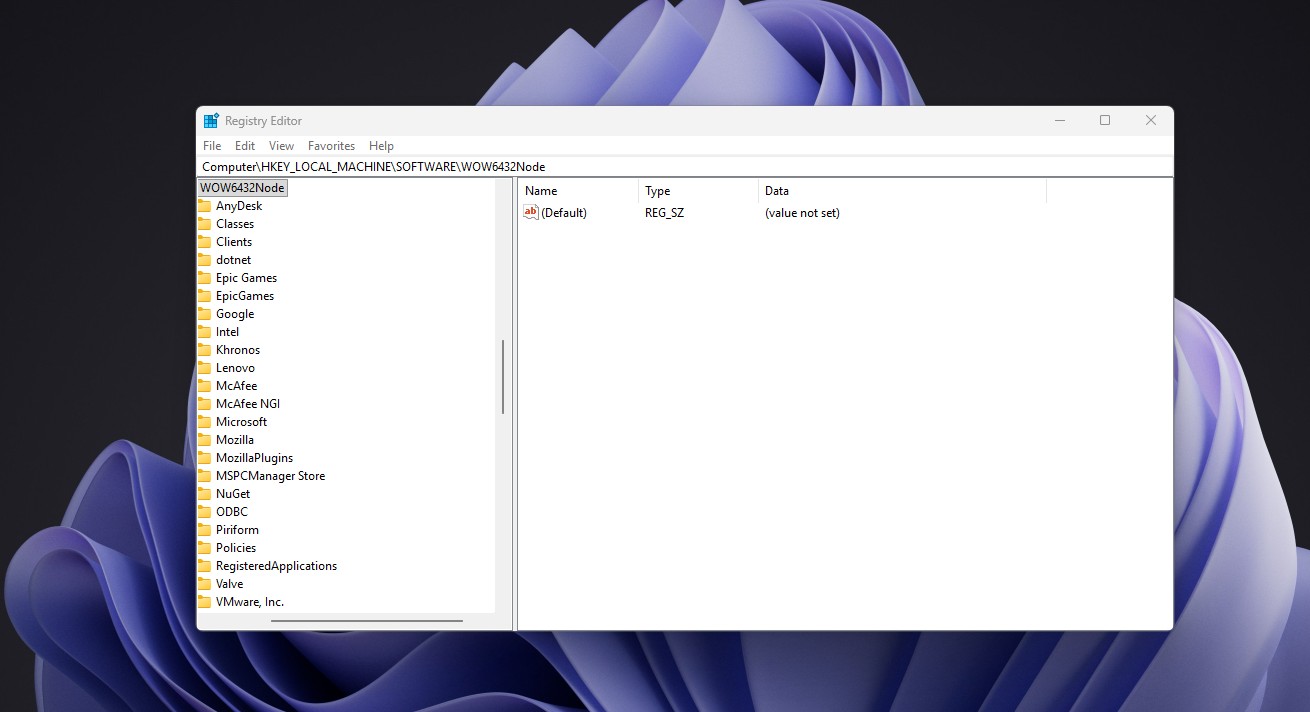
WOW64 extends beyond file-system redirection. It gives 32-bit applications a separate registry view under HKEY_LOCAL_MACHINE\Software\Wow6432Node through the registry redirector. It also sets their %ProgramFiles% environment variable to Program Files (x86).
MS notes an unusual exception involving User Account Control. If opening a redirected file triggers a UAC prompt, redirection does not occur and Windows launches the 64-bit version instead. Developers should therefore specify the SysWOW64 path or run the 32-bit application as an administrator when appropriate.
Using the Virtual Sysnative Directory
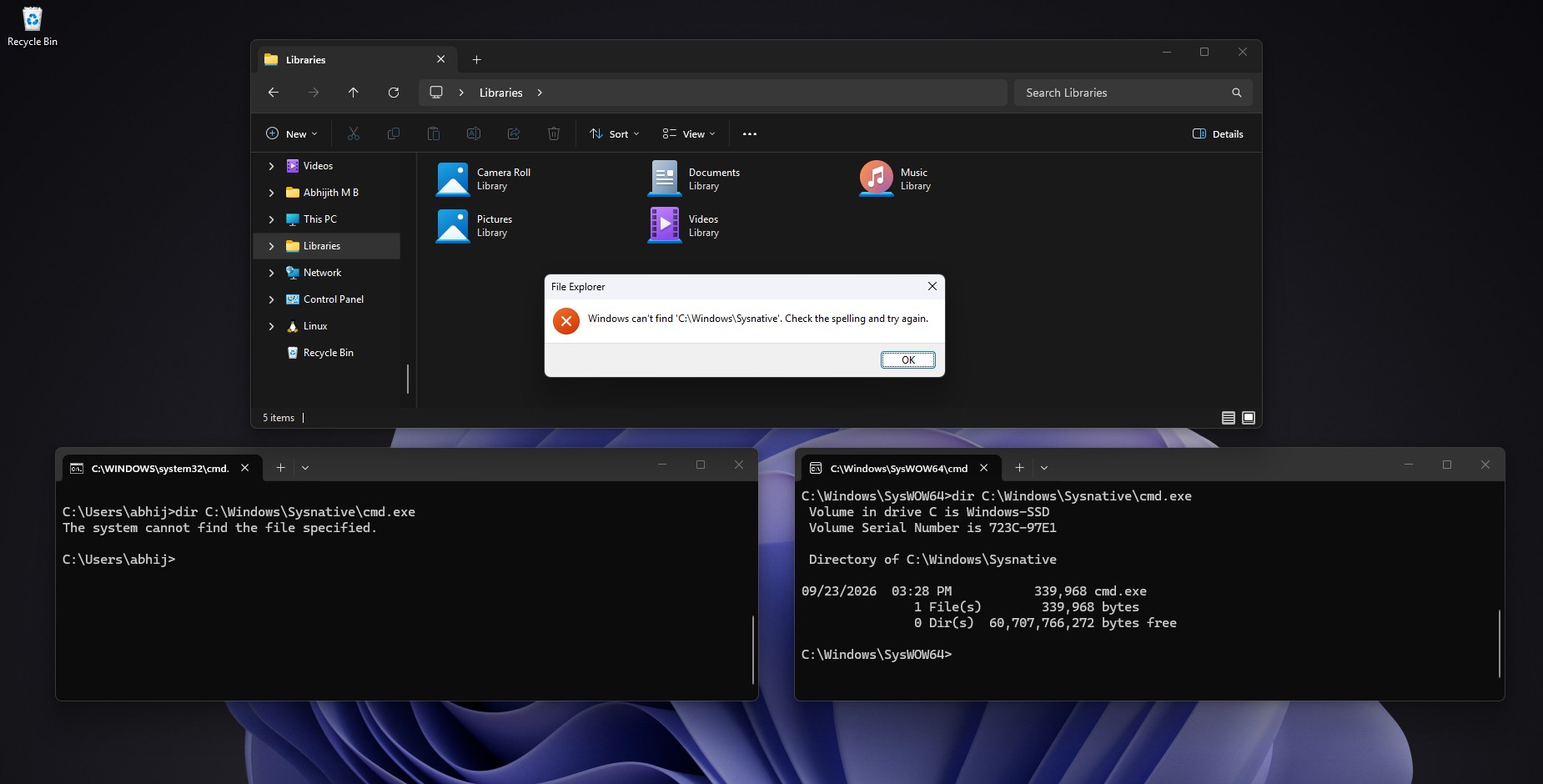
Sysnative is a virtual directory available only to 32-bit applications. It does not physically appear under C:\Windows, and 64-bit applications cannot access it. Entering C:\Windows\Sysnative in the address bar of 64-bit File Explorer produces an error, while dir C:\Windows\Sysnative\cmd.exe works from a 32-bit Command Prompt.
Developers can disable redirection by calling the Wow64DisableWow64FsRedirection function, but doing so affects every file operation on the current thread. MS warns that disabling file-system redirection can cause DLL loading to fail.
Chen described Sysnative as “a local solution to a local problem.” He had previously advised developers not to fight the emulator, recommending that a 32-bit installer launch a 64-bit installer when native 64-bit operations are required. Many compatibility issues arise when a 32-bit application attempts to behave like a 64-bit process.
Six System32 Folders Are Exempt from WOW64 Redirection
MS identifies six System32 subdirectories that 32-bit applications can access without being redirected. The exemption list has changed over time. For example, driverstore was redirected on Windows Vista, Windows XP, Windows Server 2003, and Windows Server 2008.
MS does not explain the reason for each exemption. However, some of these directories contain shared data that both 32-bit and 64-bit applications need to access consistently, such as the hosts file under drivers\etc.
SysArm32 Is Being Removed from Windows 11 on Arm
On Arm-based computers such as Snapdragon X laptops, 32-bit x86 applications also use SysWOW64. Historically, 32-bit Arm applications were redirected to a third directory named SysArm32.
On Arm64 systems, WOW64 translates x86 code through an emulator named xtajit.dll. By comparison, x64 processors execute 32-bit code natively, with Wow64Cpu.dll managing the transition between execution modes, according to MS’s implementation documentation.
MS’s Arm developer documentation now states that Arm PCs no longer support 32-bit Arm applications. The system binaries previously stored in the SysArm32 directory are also being removed. Standard x86 applications, in both 32-bit and 64-bit forms, continue to run through Prism emulation, which received AVX and AVX2 support last year.
Compatibility Takes Priority Over Clearer Naming
MS could have renamed System32 two decades ago, but doing so would have broken many existing applications. Instead, the company built a redirector, a virtual alias, and a set of exemptions around the established directory name. This reflects the same compatibility-focused approach that preserved elements such as the Windows 95 heap manager for older software.
Not every application survived the transition to 64-bit Windows, with 3D Pinball serving as a notable example. Although a name such as SysExec would have been clearer, an outdated directory name is less damaging than widespread application and installer failures.