
MS is testing a MS Store application codenamed Project Odeon. It uses the Windows 11 Settings icon and closely resembles the operating system’s built-in Settings app. The project suggests that parts of Settings could eventually be updated through the Store rather than waiting for Windows updates, potentially accelerating the transition away from Control Panel.
Odeon can run alongside the existing Settings app, read information from the PC, and provide a hidden preview mode containing a dummy account and simulated data. MS has not officially announced the project.
Project Odeon Resembles the Windows 11 Settings App
Project Odeon recently emerged in testing, and an update gave it the familiar Windows 11 Settings icon and an interface that closely matches the current Settings experience.
Its MS Store listing identifies MS Corporation as the publisher, categorizes the application under Productivity, and marks it as a Preview. The installed package is named MS.ProjectOdeon, carries version number 1.0.9.0, and uses the same MS publisher ID associated with Store applications such as Notepad and Paint.
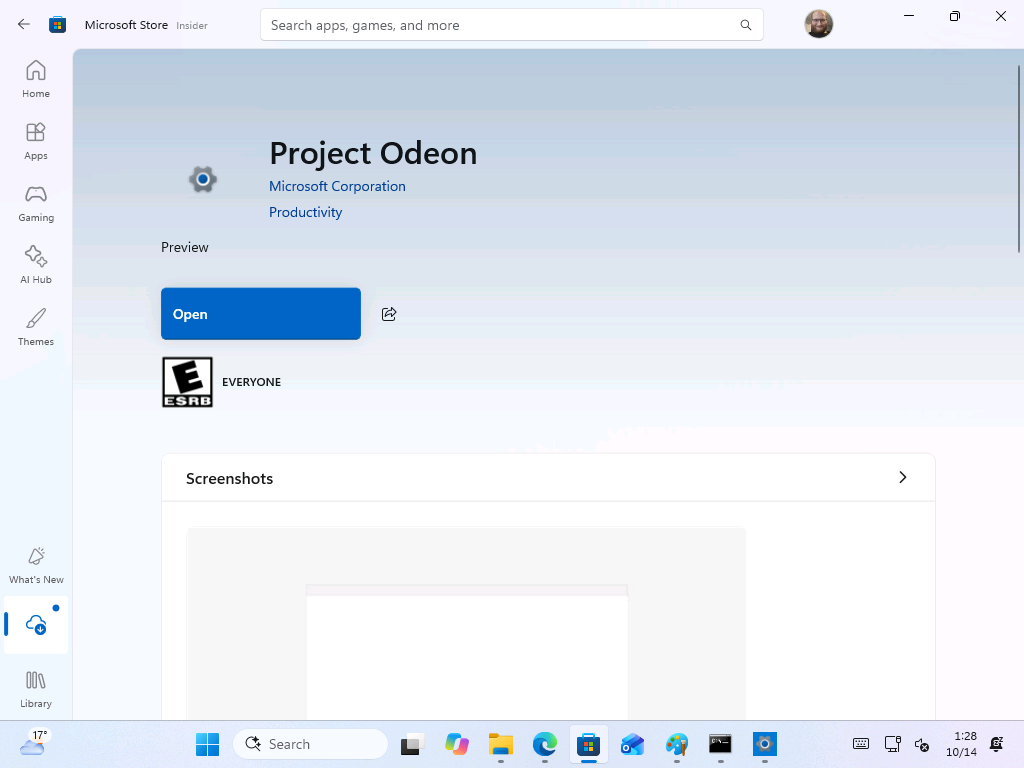
Odeon requires Windows 11 build 26100 or later. Developer Mode must be enabled before installing the package, whether installation is performed through the Store or manually. This requirement indicates that the application remains an experimental build and is not close to a conventional public release.
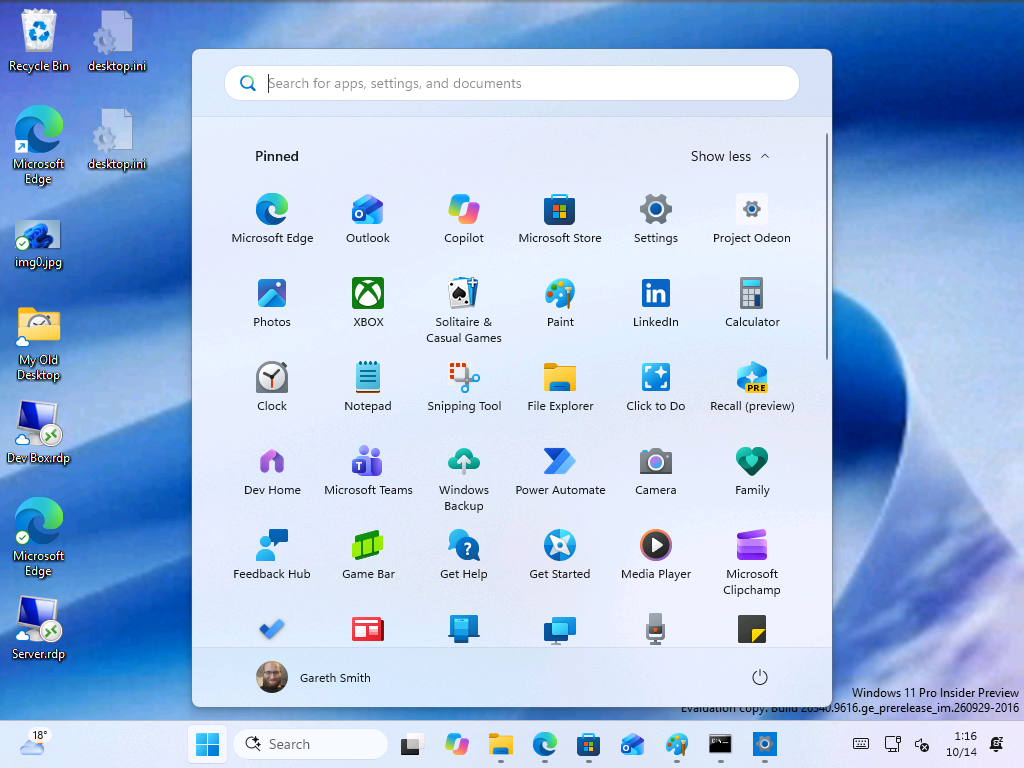
Testing Project Odeon Alongside the Built-In Settings App
Installing Odeon does not replace the existing Windows 11 Settings app. Both applications remain available side by side. On a Hyper-V virtual machine running Windows 11 Insider Preview build 26340.9616, Odeon correctly identified the computer’s name, network status, and pending Windows updates on its Home page, much like the standard Settings app.
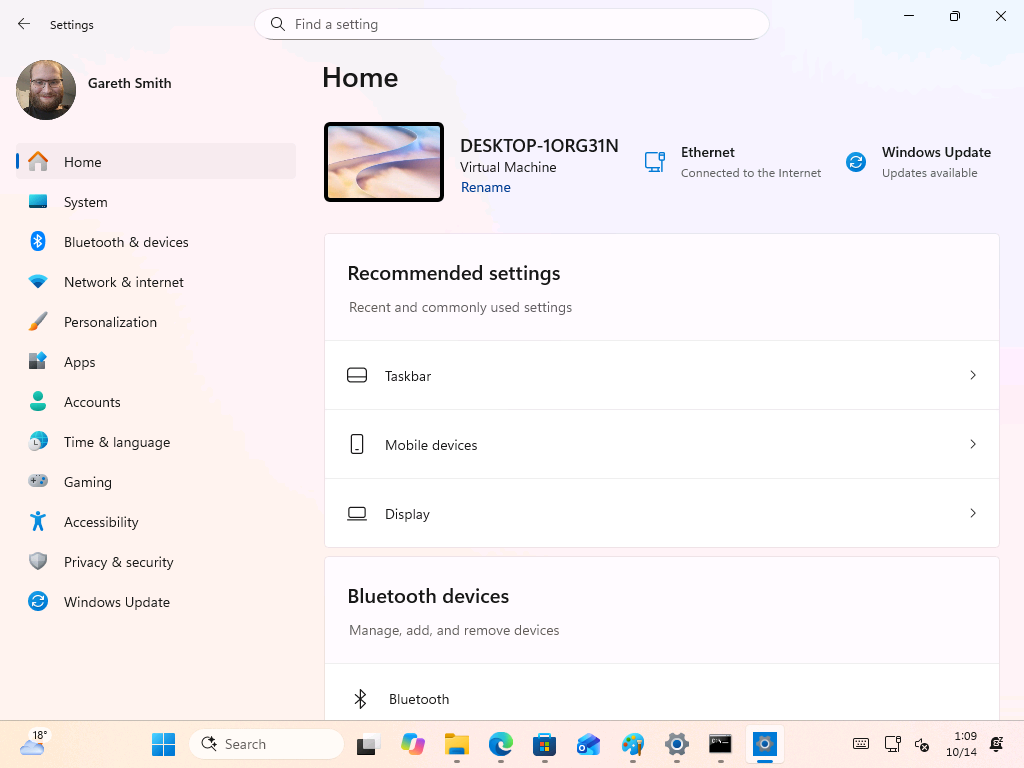
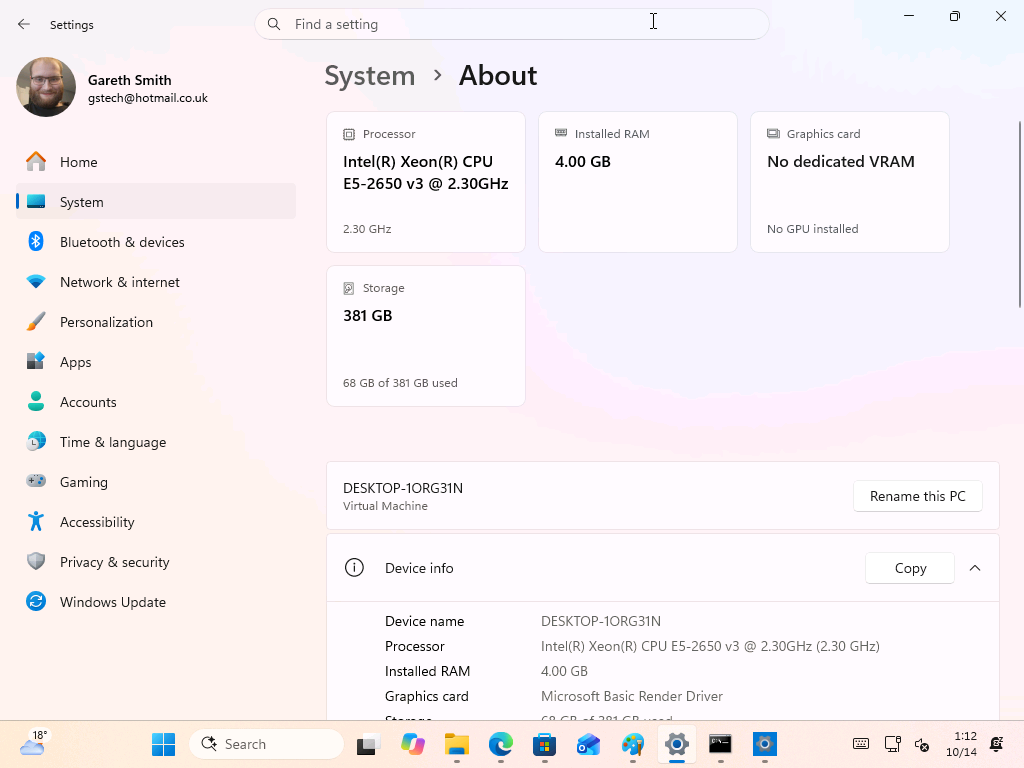
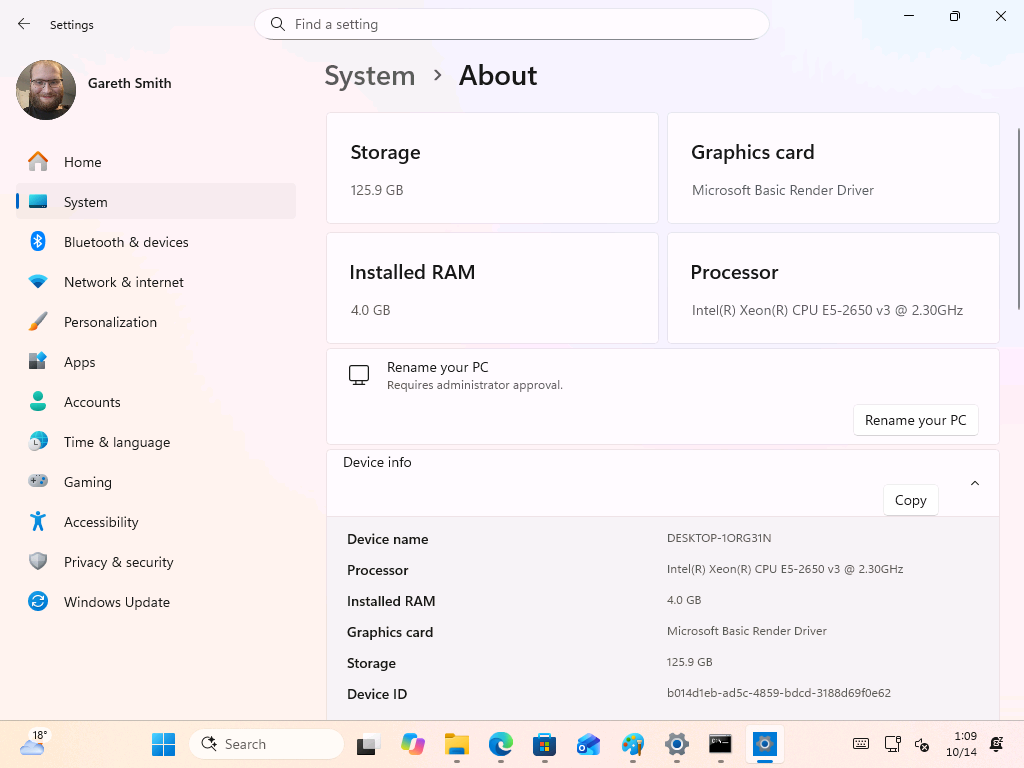
However, the two applications do not always report identical information. On the About page, Odeon displayed 125.9 GB of storage and identified the graphics adapter as the “MS Basic Render Driver.” The built-in Settings app reported 381 GB of storage, with 68 GB used, and displayed “No dedicated VRAM.” Their layouts also differ, while Odeon’s Rename button states that the action “Requires administrator approval”, which is consistent with one of the helper files included in the package.
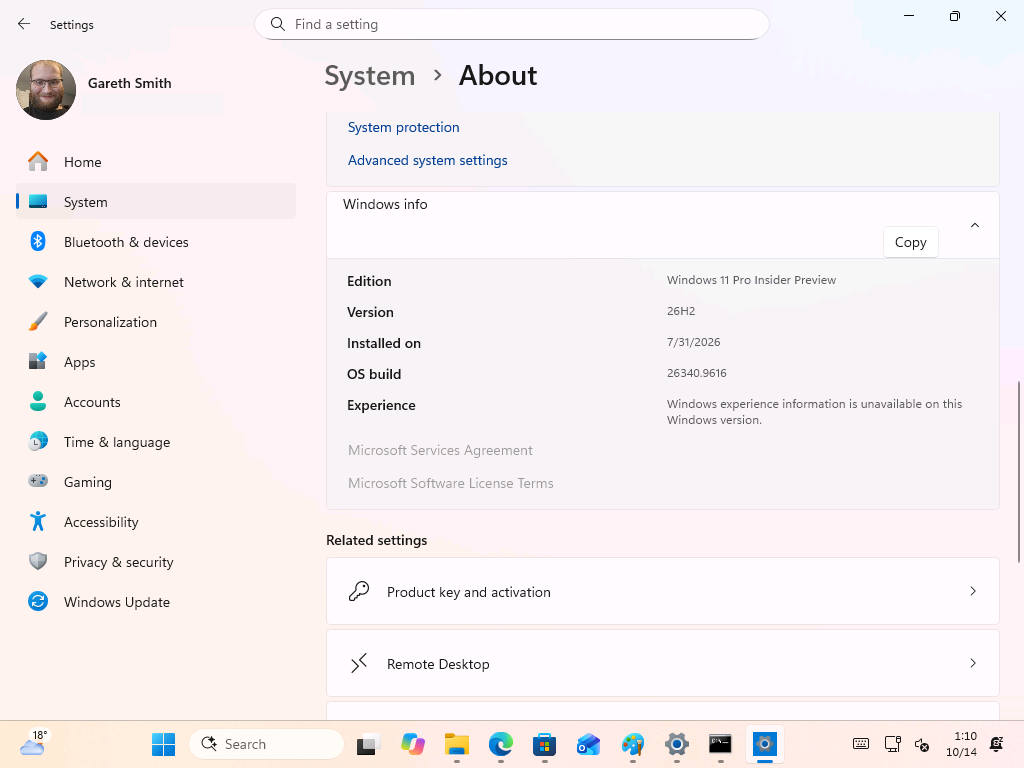
Odeon correctly detects the installed Windows version, but its Experience field says that the information “is unavailable on this Windows version.” Links to the MS Services Agreement and Software License Terms are also disabled.
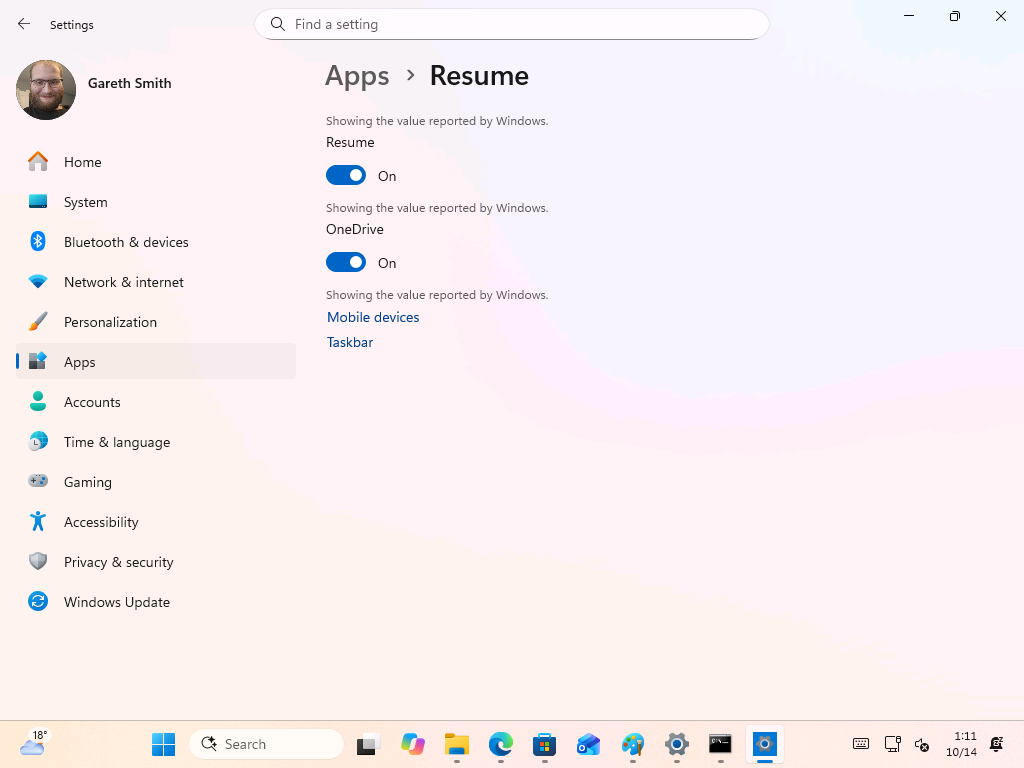
Several pages appear unfinished in this early preview. The Resume and App Actions sections are notable examples. On the Resume page, each toggle is preceded by the message “Showing the value reported by Windows,” followed by basic links to Mobile devices and Taskbar.
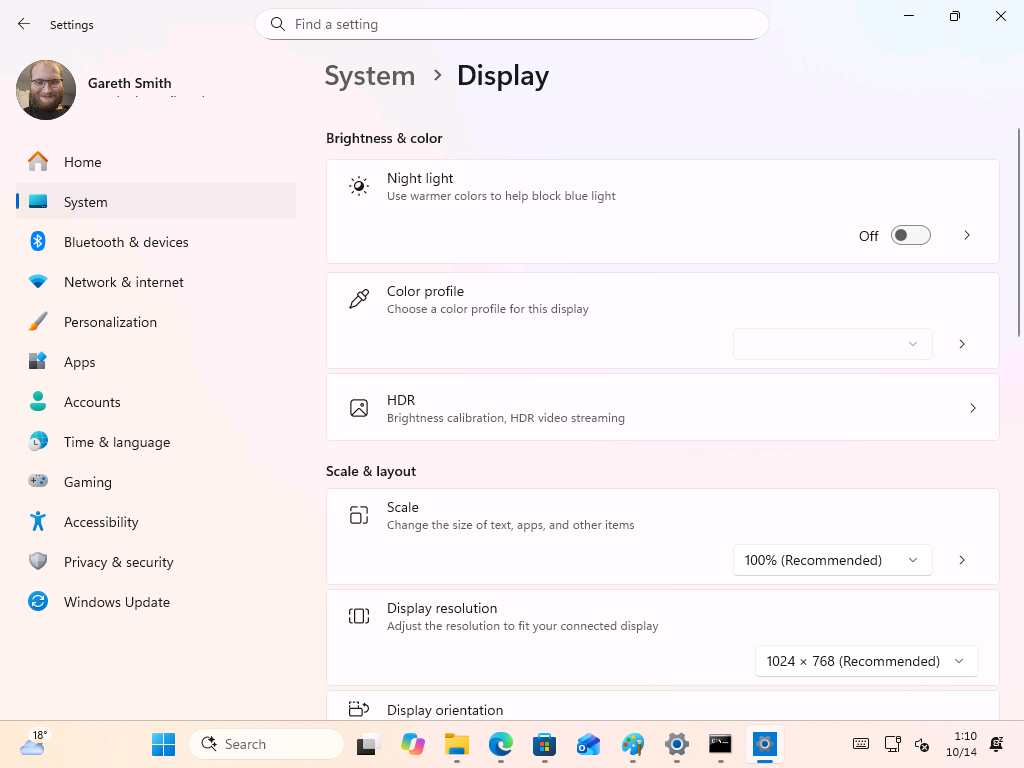
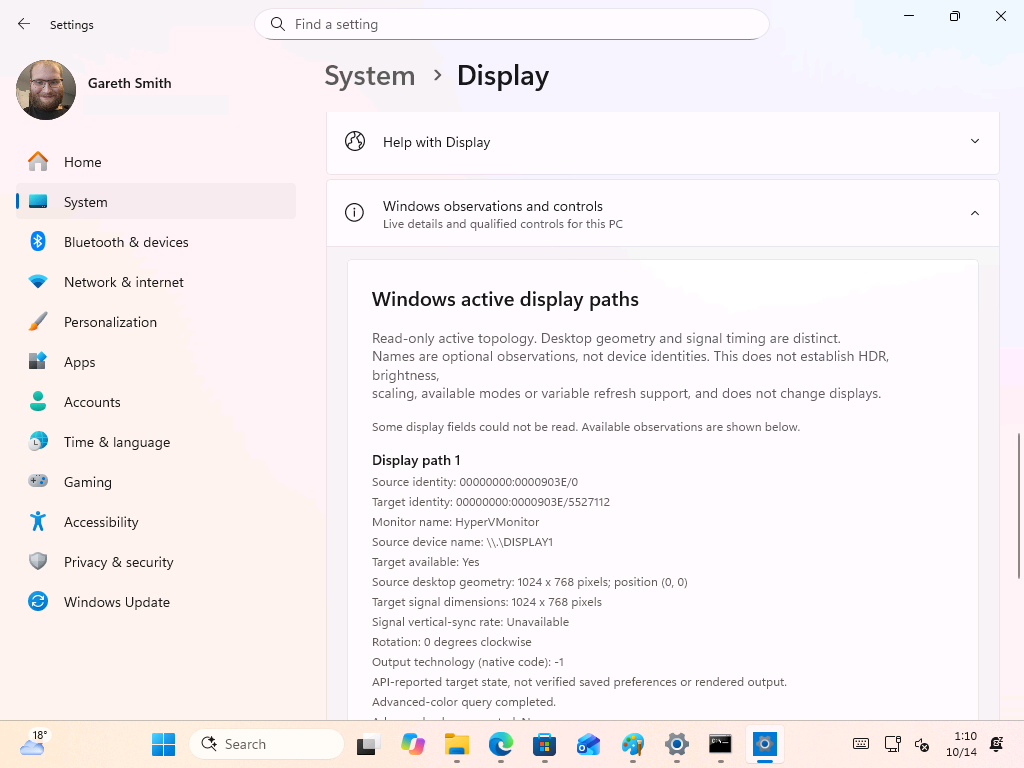
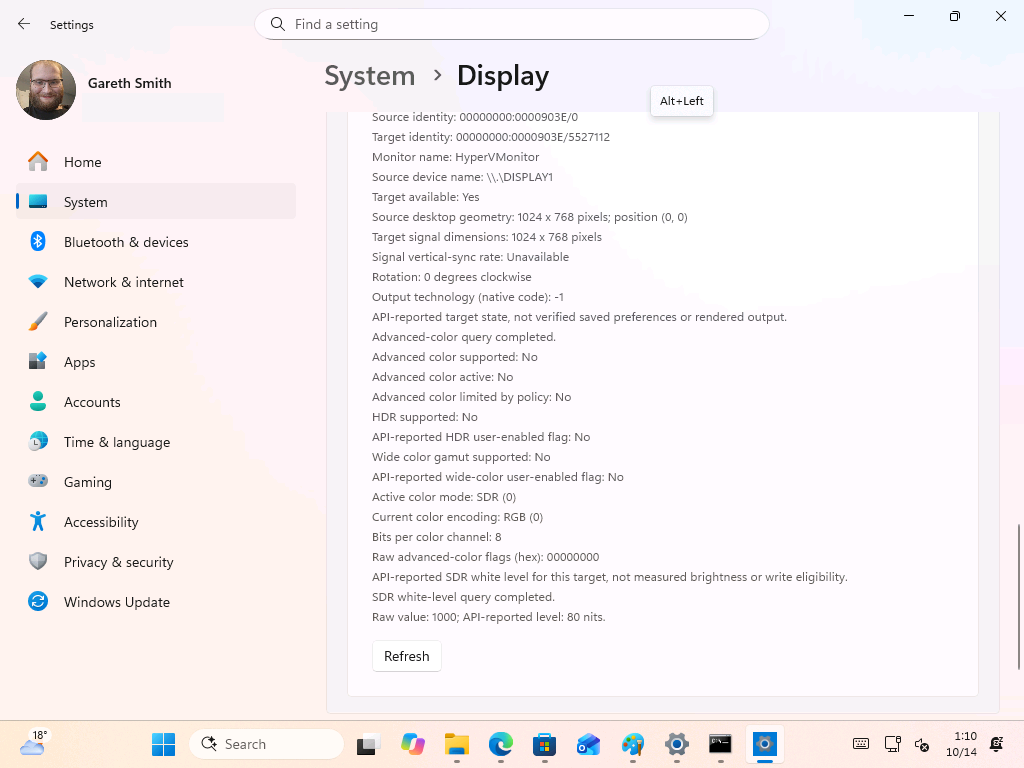
Other areas, including Display, expose additional raw system information. The upper portion of the Display page looks conventional, offering Night light, HDR, scale, and resolution controls. Farther down, a section titled “Windows observations and controls” lists the display path, monitor name, HDR support, color encoding, and SDR white level. On the Hyper-V test machine, the monitor was identified as HyperVMonitor and the SDR white level was listed as 80 nits.
An “Alt+Left” keycap can also appear unexpectedly while navigating the application. It is the tooltip for the Back button’s keyboard shortcut, but it occasionally displays on its own.
Odeon Includes a Hidden Preview Mode
The application supports a --preview command that opens a complete simulated environment containing account and Home cards, placeholder settings, a dummy account, and six sample wallpapers. A sidebar notice describes it as an “Isolated preview” in which all controls use local state and no actual Windows settings are changed.
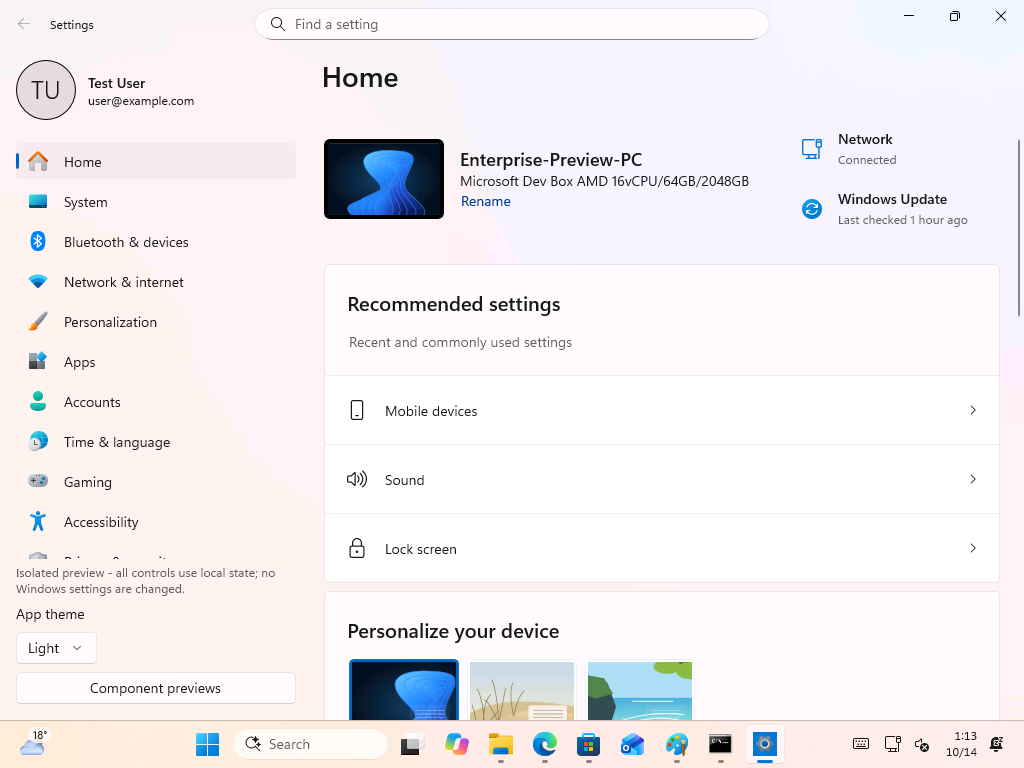
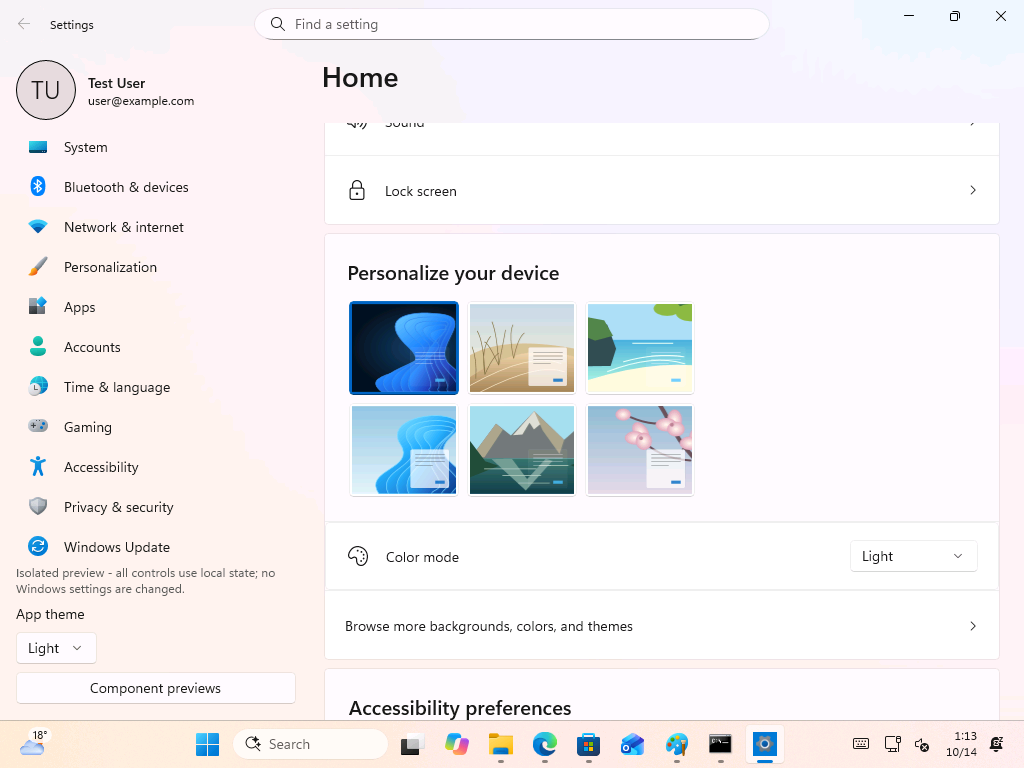
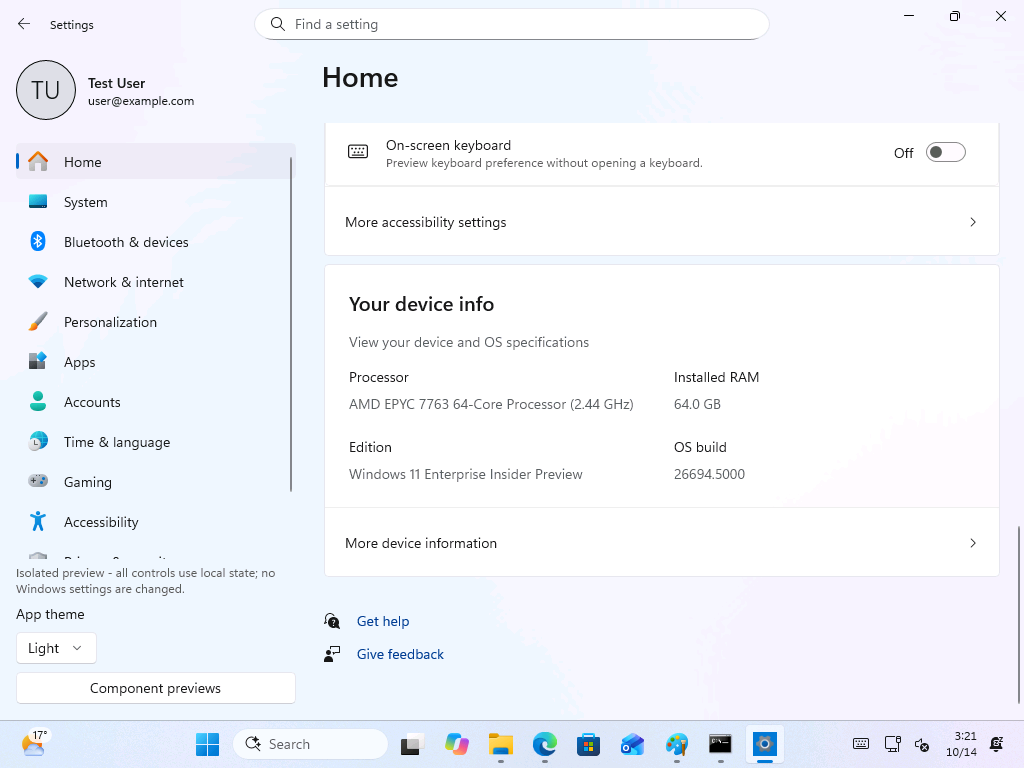
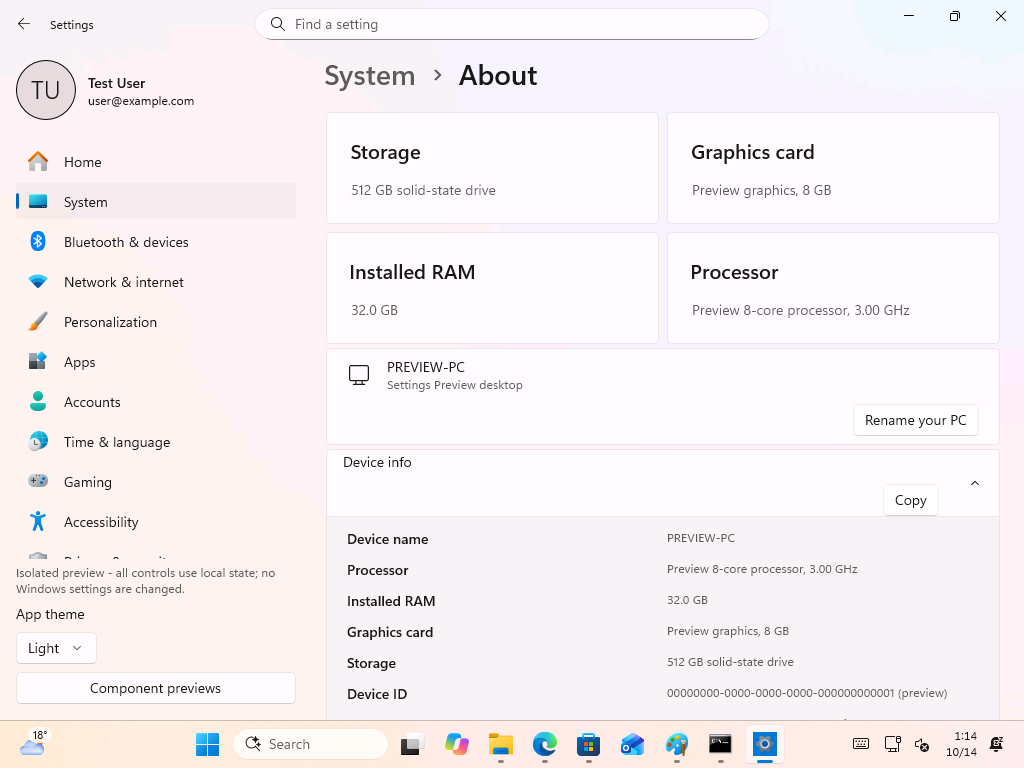
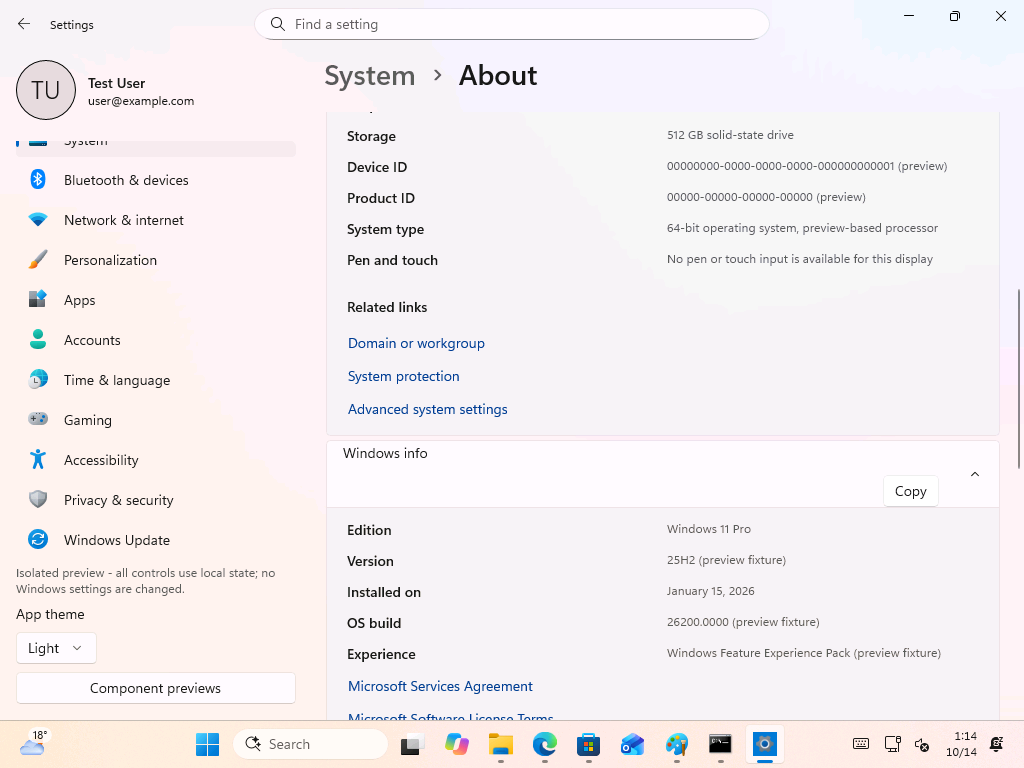
All information in this mode is simulated. The Home page displays a “MS Dev Box AMD 16vCPU/64GB/2048GB” named Enterprise-Preview-PC. Its device information card lists a 64-core AMD EPYC 7763 processor, 64 GB of RAM, and build 26694.5000. Meanwhile, the About page reports a “Preview 8-core processor” and 32 GB of RAM. Even the Windows information section is explicitly marked as “preview fixture” data.
A Component previews button in the sidebar opens “safe local previews of existing managed Account and Home components.” Only two options are currently available: the Account page and the Home MS 365 card. Both operate using injected local data.
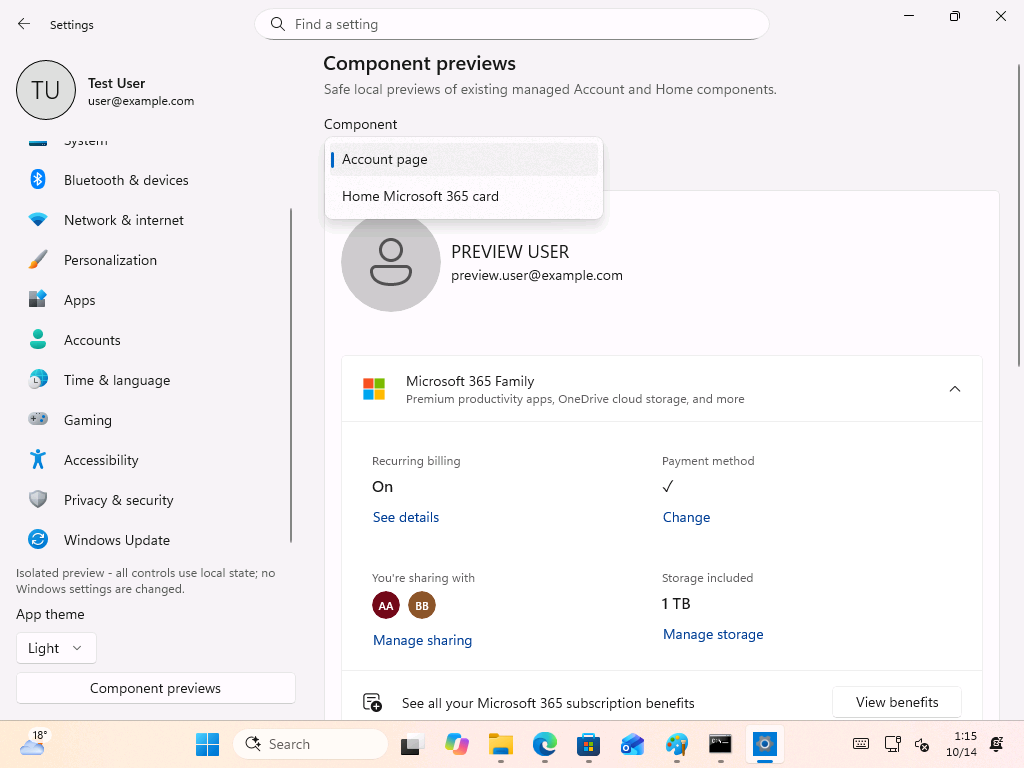
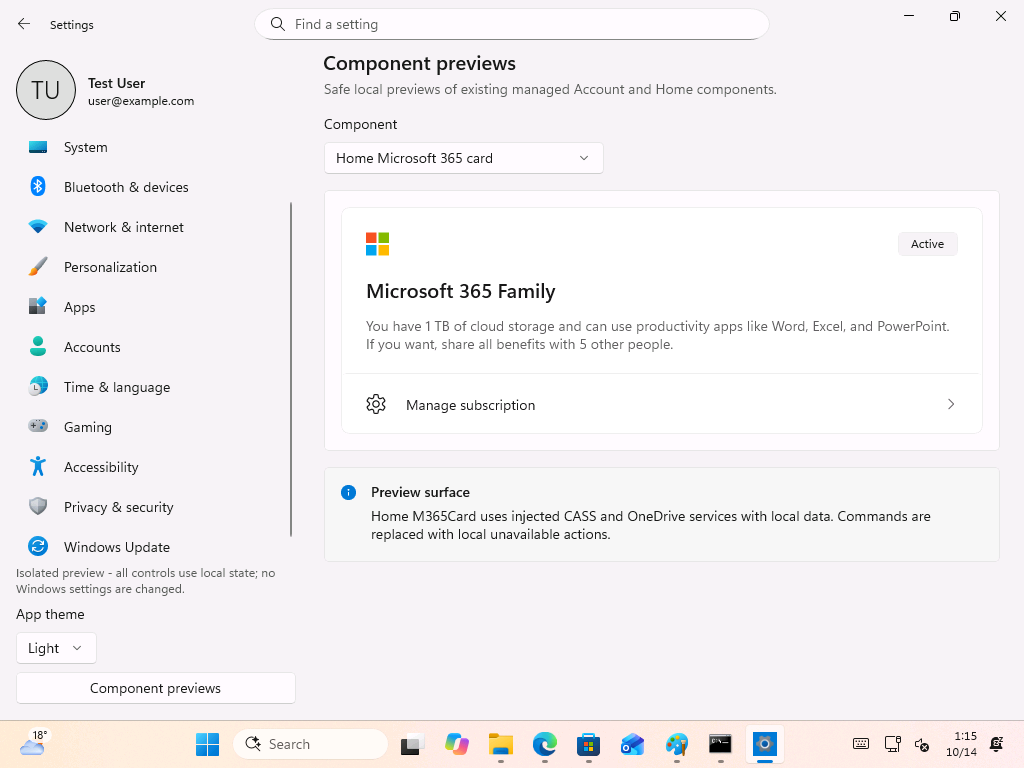
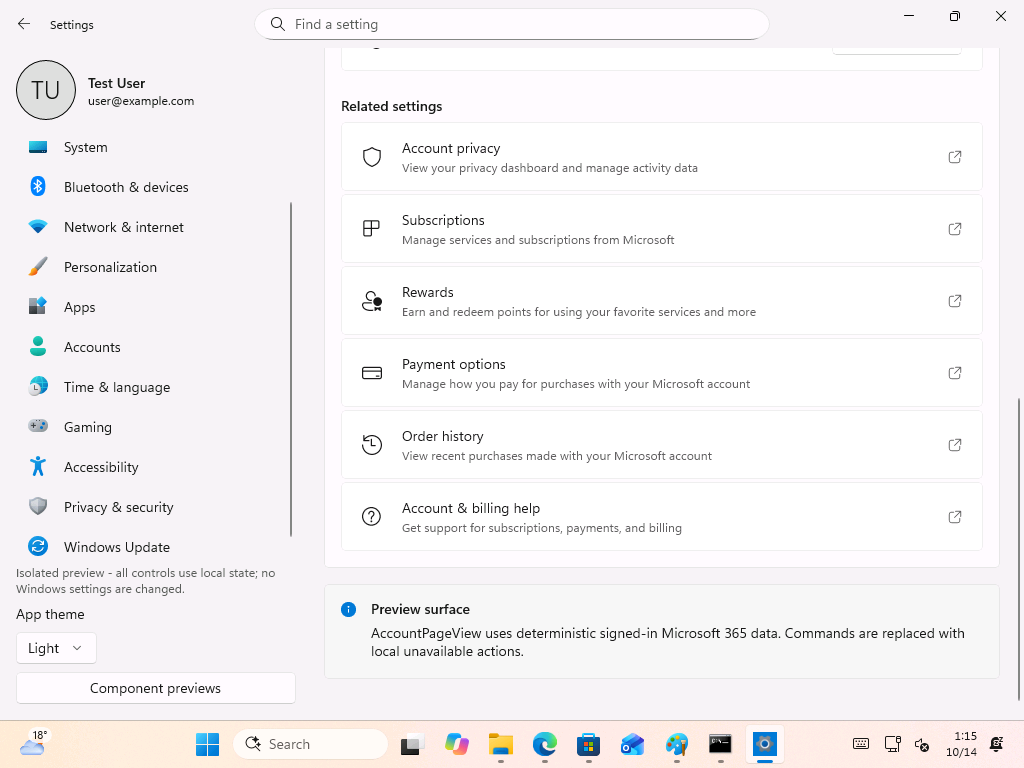
One of the two components receiving a dedicated test harness is the MS 365 Family card. Windows Settings has long been used to surface MS account and MS 365 promotions, although functional areas such as Bluetooth or printer settings would also be practical candidates for this type of testing.
Package Files Suggest Focused Helper Apps Rather Than a Full Replacement
The package’s apparent test executable is AccountExperiences.Settings.TestApp.exe, while the standard Windows Settings app uses SystemSettings.exe. Other files share the AccountExperiences prefix and include several narrowly focused helper executables.
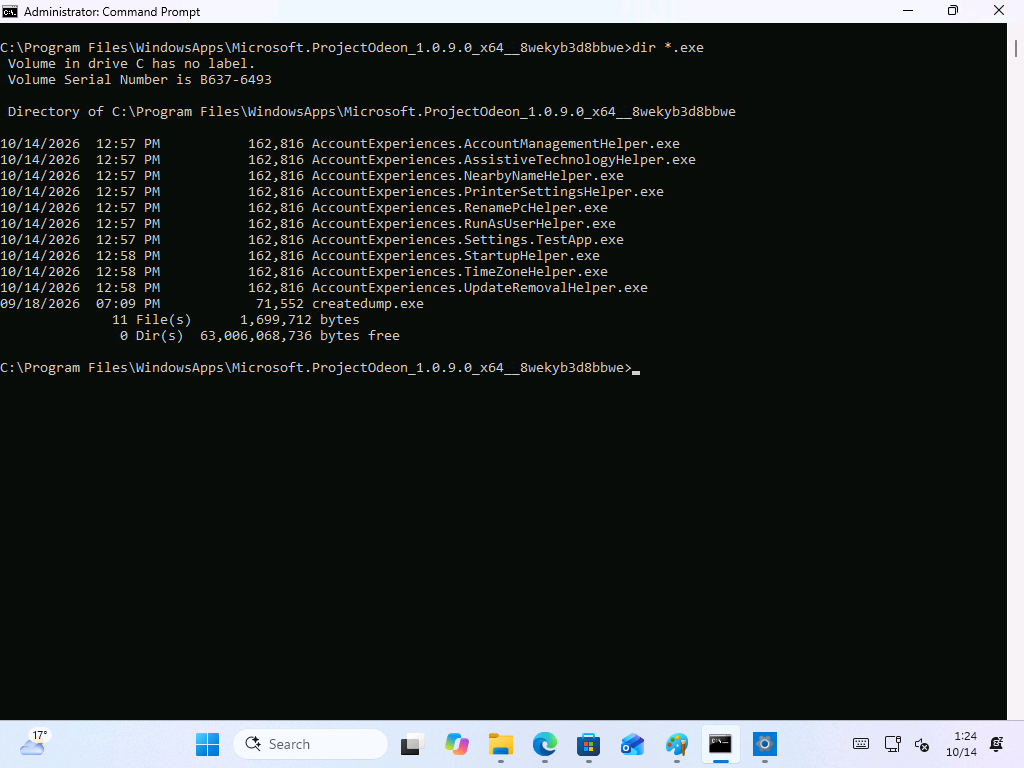
The helper applications include AccountManagementHelper, AssistiveTechnologyHelper, NearbyNameHelper, PrinterSettingsHelper, RenamePcHelper, RunAsUserHelper, StartupHelper, TimeZoneHelper, and UpdateRemovalHelper. Most correspond to operations requiring more privileges than a typical MS Store application receives, such as renaming a PC, changing the time zone, or removing updates.
This structure suggests that Odeon may keep its primary interface inside a sandboxed Store application while calling specialized helpers when system-level changes are required. Such an arrangement would also explain the administrator approval notice displayed by the Rename control.
The DLL collection includes AccountExperiences.Home, Account, Core, FeatureStaging, and an 8 MB SettingsPlatform file, which is the largest of the AccountExperiences components. Files such as createdump.exe and clrgc.dll originate from MS’s .NET runtime, suggesting that Odeon is a .NET application distributed with its own runtime components.
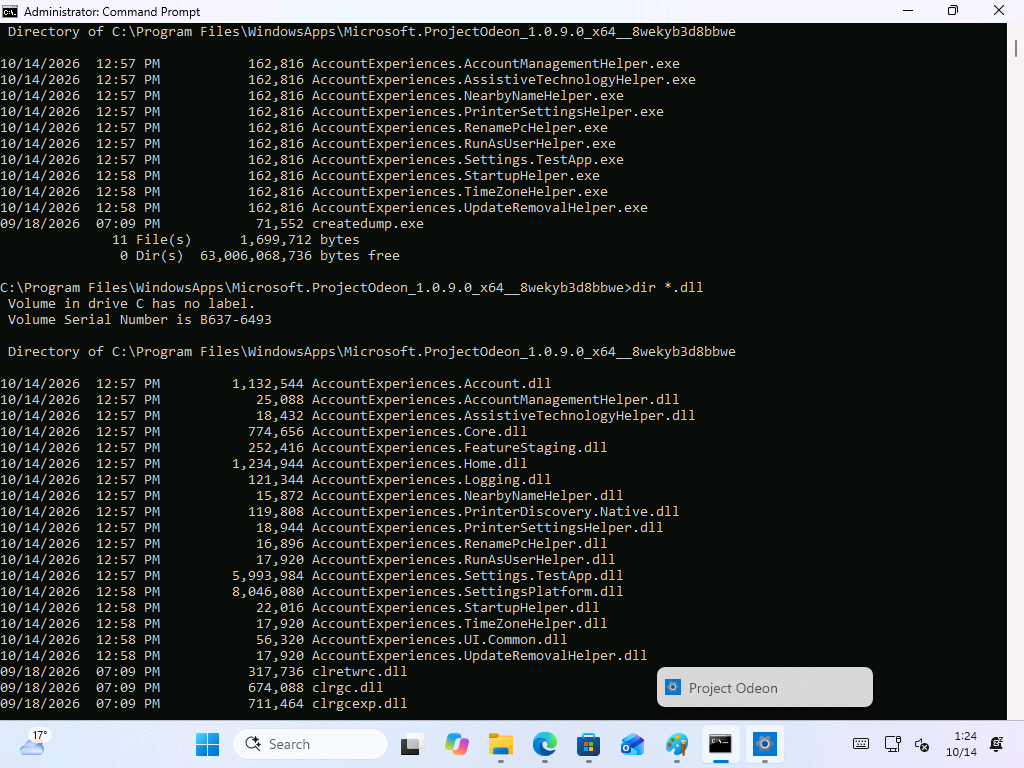
Although filenames cannot confirm MS’s plans, they indicate that the package may be designed to test focused system experiences rather than replace the entire Settings app. The files establish a clear connection to Windows Settings, but they do not prove that MS intends to distribute the complete Settings application through the Store.
Project Odeon also appears unrelated to a separate application with the same name that uses artificial intelligence to create widgets. No connection beyond the shared name is currently known.
Why MS Could Move Parts of Settings to the Store
Publishing selected Settings components through the MS Store could allow MS to deliver interface fixes and targeted improvements without waiting for a major Windows feature update or a monthly cumulative update.
The Store already serves as an update channel for applications and can automatically install updates that introduce features or resolve problems. Extending that model to modular Settings components could enable faster deployment.
This approach could also support the ongoing migration from Control Panel to Settings. March Rogers, Partner Director of Design at MS, has said that the team is working to migrate legacy Control Panel controls into the modern Settings applications. No timeline has been provided, and Control Panel remains necessary for tasks such as manual printer setup. If new Settings pages could be delivered through the Store, each migrated page would not need to wait for the next full Windows release.

MS has also tested a dedicated App updates page within Windows 11 Settings, indicating closer integration between Settings and the Store’s update infrastructure.
However, this model introduces risks. In January, a server-side Store issue prevented Notepad, Paint, Snipping Tool, and even Windows Security from opening. A failure affecting Notepad is inconvenient, but an unavailable Settings app would be substantially more disruptive. MS would therefore need a reliable fallback mechanism if it adopted this approach.
What Project Odeon Could Become
Odeon’s intended role remains unclear. Its separate package and isolated preview mode could support a redesigned Settings experience, or they may exist solely for internal development and testing. There is currently no evidence that the application will be publicly released.
MS is already rebuilding older Windows dialogs with WinUI 3. A Settings application capable of following its own update schedule could make those improvements available more quickly.
For now, Project Odeon should be treated as an experiment rather than confirmation of MS’s plans. A public Store listing under the Settings name, an official Windows Insider announcement, or supporting documentation would provide stronger evidence of an upcoming release. Nevertheless, the separate package, specialized helper executables, and preview environment demonstrate that MS is exploring a more modular approach to Windows Settings.