Windows 11 KB5132061 Installation Errors Under Investigation
MS is investigating reports that Windows 11 KB5132061 fails to install with errors including 0x800f0993, 0x80070306, and 0x800f0989. Testing showed the November 2026 Patch Tuesday update reaching 99% before failing, with repeated installation attempts making no progress.
MS released KB5132061 on November 10 as part of its monthly Patch Tuesday cycle. The mandatory security update includes nearly 700 critical Windows-specific security fixes, along with other improvements such as a customizable right-click menu.
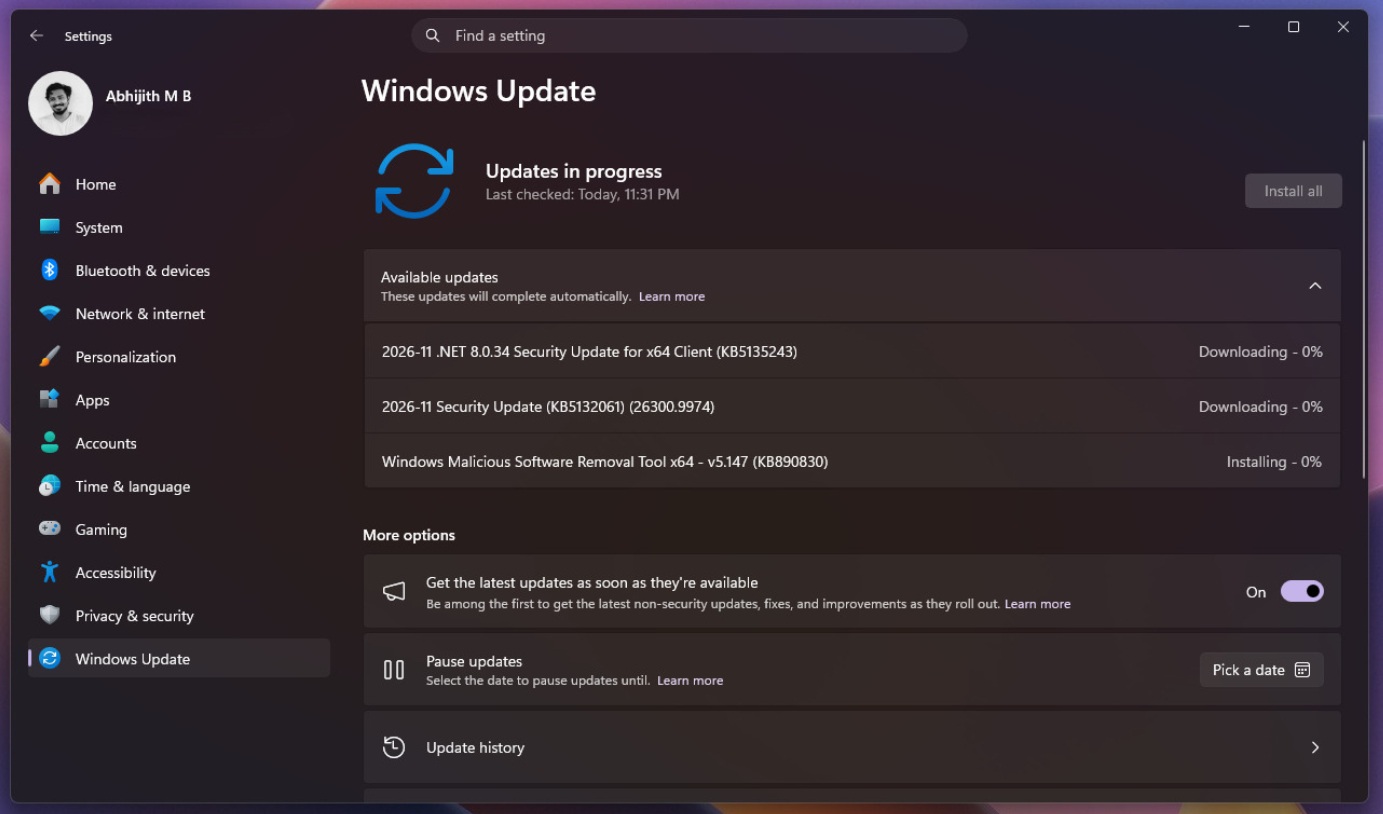
KB5132061 updates Windows 11 26H2 to Build 26300.9974 and Windows 11 25H2 to Build 26200.9974. Although installation should take only a few minutes, the update may require two or more restarts because of a pending Windows Secure Boot certificate update.
Multiple restarts are not necessarily a problem, but a separate issue is preventing the November 2026 update from installing on some systems. While the update completes within minutes on unaffected PCs, other users cannot finish the installation, even after retrying it.
One user described being trapped in a repeated installation loop involving errors 0x800f0993, 0x80070306, and 0x800f0989. Dozens of similar complaints have also been reported.
KB5132061 Fails on Some PCs as MS Investigates
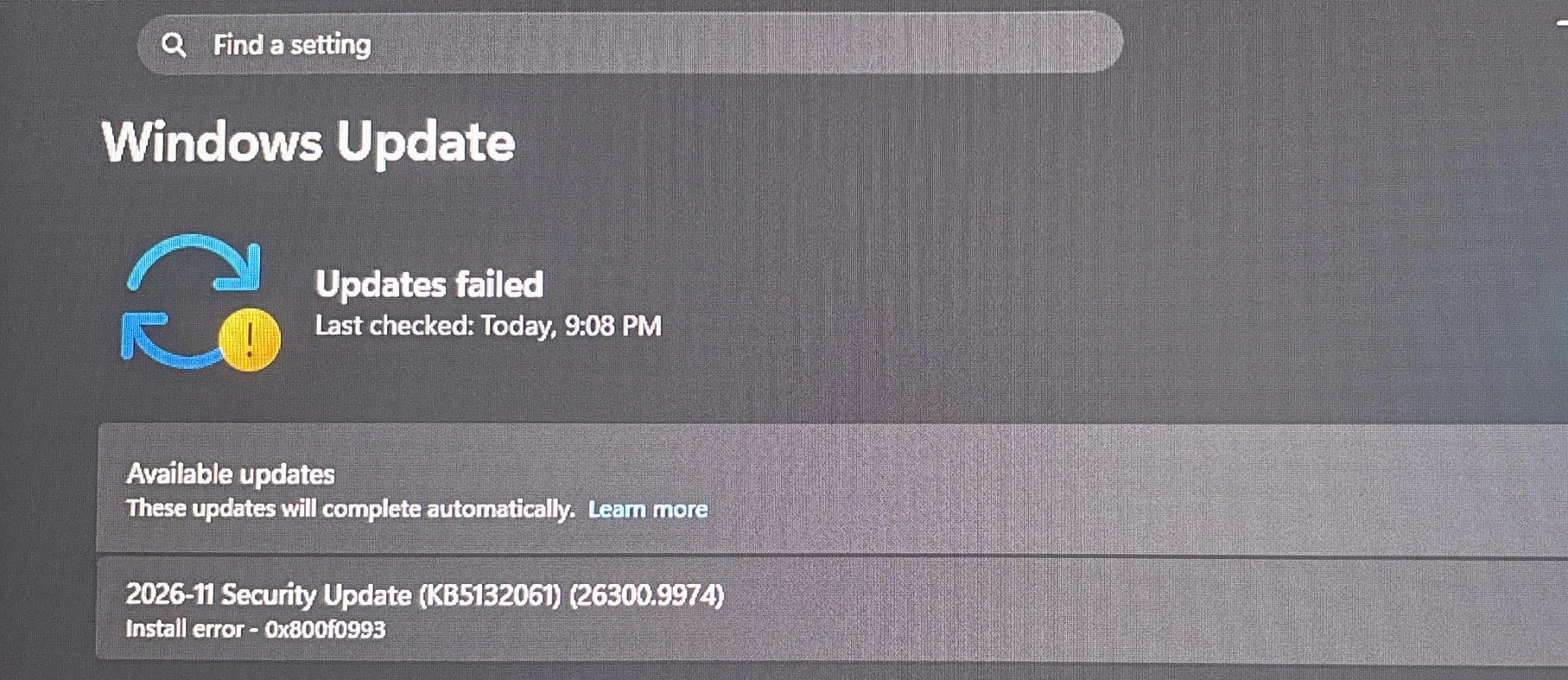
One user reported that the November 2026 update failed on four PCs with either error 0x800f0989 or 0x80070306. Manually downloading the update and resetting Windows Update components did not resolve the problem.
Another user encountered error 0x80070306 on two virtual machines. The displayed message stated: “Installation Failure: Windows failed to install the following update with error 0x80070306: 2026-11 Security Update (KB5132061) (26300.9974).”
Additional reports mention installation failures involving errors 0x800f0993 and 0x800f0922. In one case, the update failed seven times—including an attempt using the offline installer from the MS Update Catalog—before eventually installing successfully on a later attempt.
The issue does not affect everyone. Some users installed the update without errors, while others succeeded after restarting their PCs and trying again.
MS’s support documentation currently states that the company is “not currently aware of any issues with this update.” However, MS is reportedly reviewing the complaints and investigating the underlying cause, including whether Windows Sandbox may be involved.
Could Windows Sandbox Be Blocking the Update?
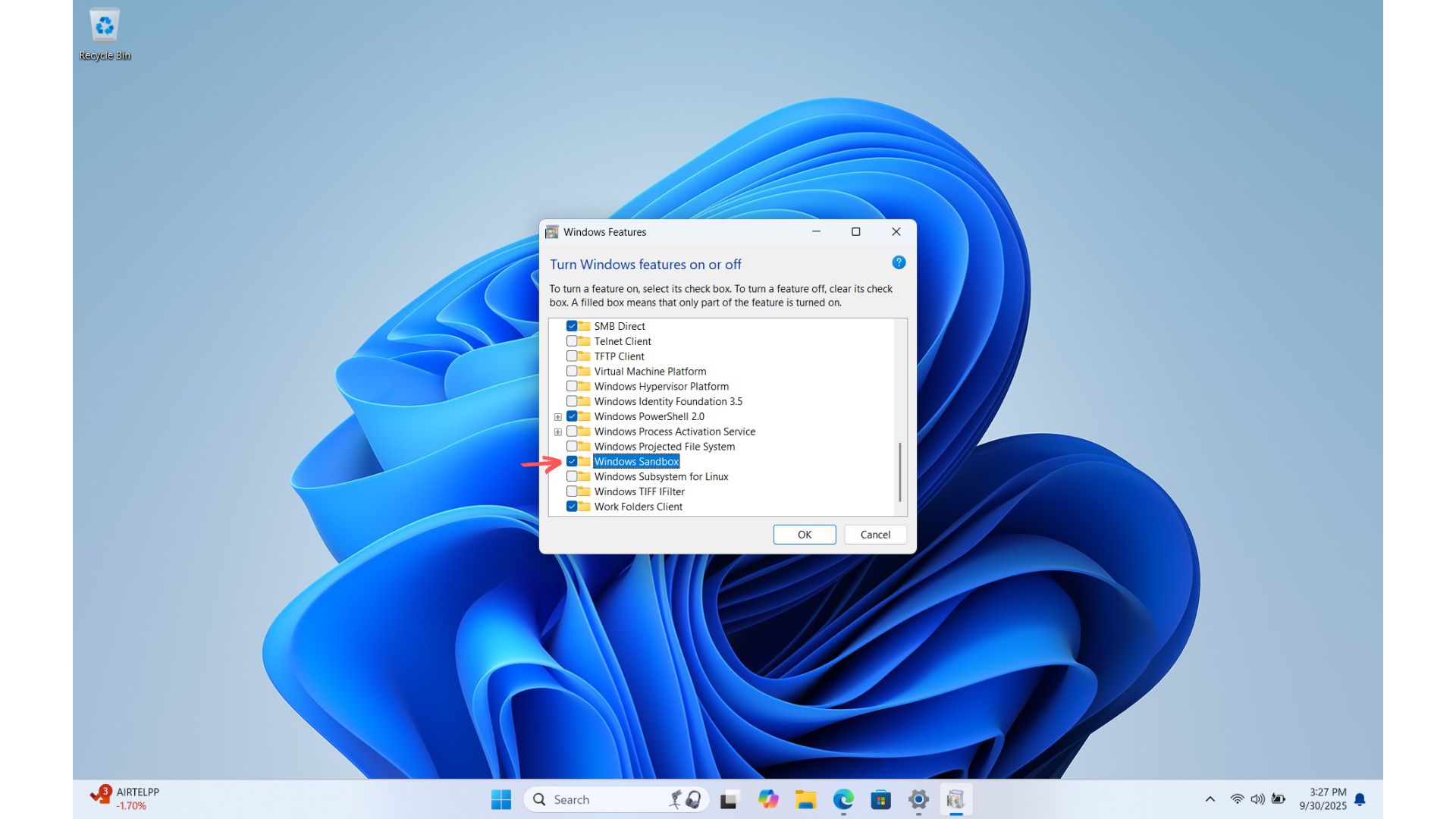
The KB5132061 installation failures may be connected to Windows Sandbox. Disabling the feature could allow the cumulative update to install successfully on affected systems.
Windows Sandbox is a Windows feature that runs applications in an isolated virtual environment. It is designed to make testing untrusted programs or downloads easier and safer. Some users may have enabled the feature without realizing it, and it could be contributing to the November 2026 update failure.
One user examined the Windows installation logs and found an error referencing a file used by Sandbox. On that system, the update failed while Windows Sandbox was enabled but installed successfully after the feature was disabled and the PC was restarted.
However, at least one failure was reported on a system where Windows Sandbox was not enabled. The workaround is therefore not guaranteed, but users who have Sandbox active and continue to experience installation errors may consider temporarily disabling it before trying again.
Other Options if KB5132061 Will Not Install
If KB5132061 continues to fail through Windows Update, users can try downloading the standalone package from the MS Update Catalog.
If that approach does not work, Windows 11 provides a Fix problems using Windows Update option under Settings > System > Recovery. This process reinstalls the current version of Windows while preserving installed applications, personal files, and system settings.
MS continues to investigate the reported installation failures and their root cause.