Windows 11 Emergency Update Continues to Cause Audio Problems
Windows 11’s emergency update continues to disrupt audio on some PCs. A fix may not arrive until the October 2026 Patch Tuesday release, scheduled for October 13.
Emergency Fixes for Remote Desktop and Linux Apps
On September 8, MS released KB5124008, the September 2026 Patch Tuesday update. The update caused Remote Desktop Protocol connections to fail and made host-folder shares unavailable in Linux virtual machines used by applications such as Claude Cowork.
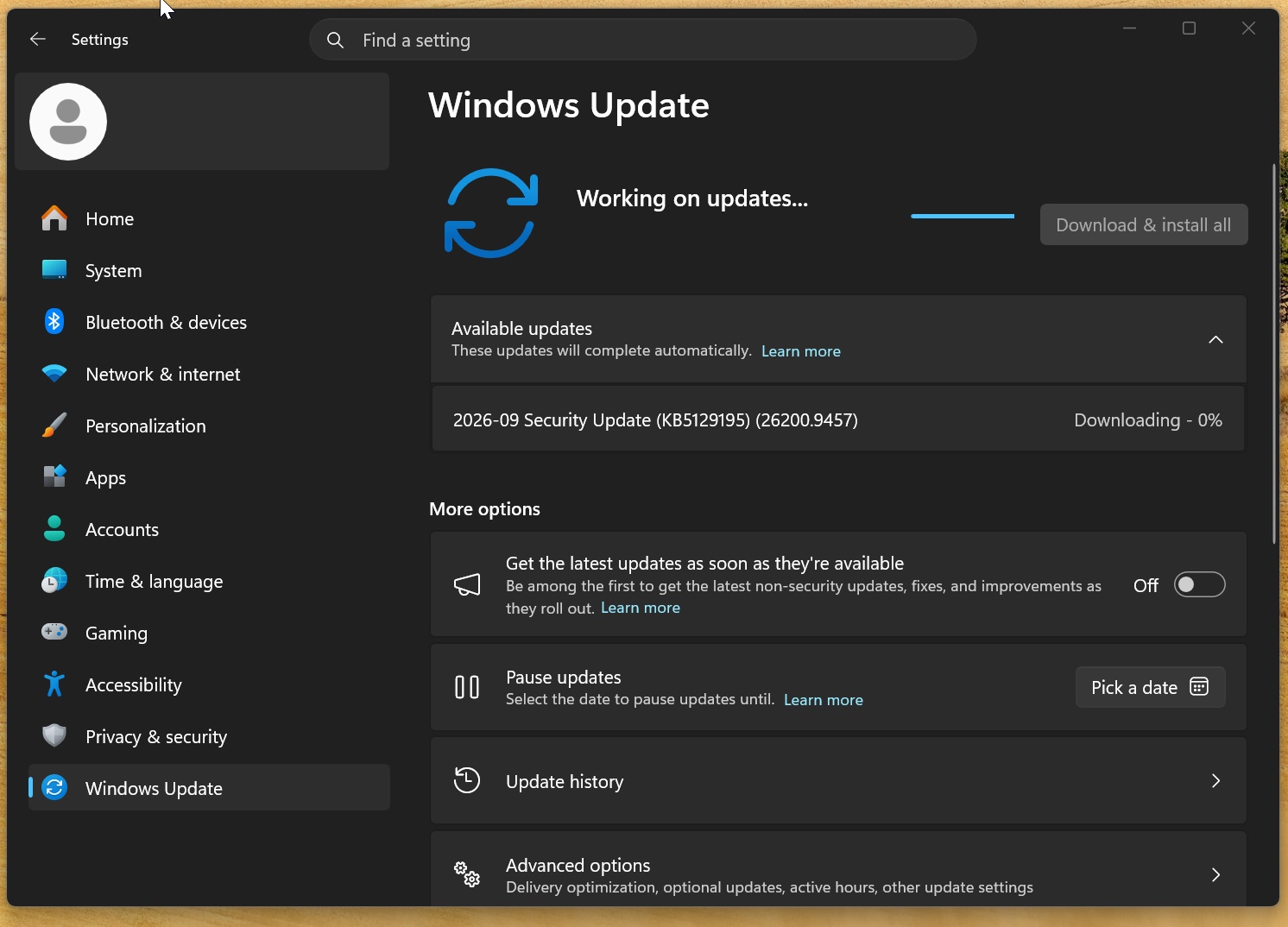
Six days later, on September 14, MS issued KB5129195, an emergency out-of-band update designed to resolve the Remote Desktop and Claude Cowork problems while adding further security protections.
Before the emergency update, Remote Desktop sessions could fail after several minutes or become stuck on the message, “Please wait for the Remote Desktop Configuration.” Claude Cowork could also lose access to local files even when users had already granted the necessary permissions.
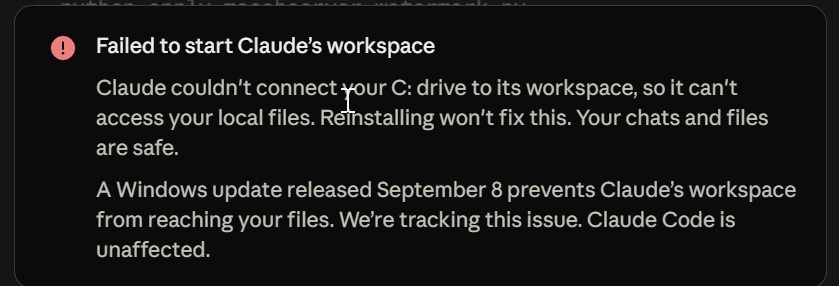
MS confirmed that the problems affecting Claude Code and other Linux-based applications were connected to the Windows 11 update. Its documentation states:
“Applications or sandbox environments that depend on these shared folders might display an error indicating that no Plan9 drive shares were mounted. Claude Cowork and the Windows Subsystem for Linux (WSL) are two of the applications affected by this issue. Standard Hyper-V virtual machines that do not use the Plan9 feature are not affected by this issue.”
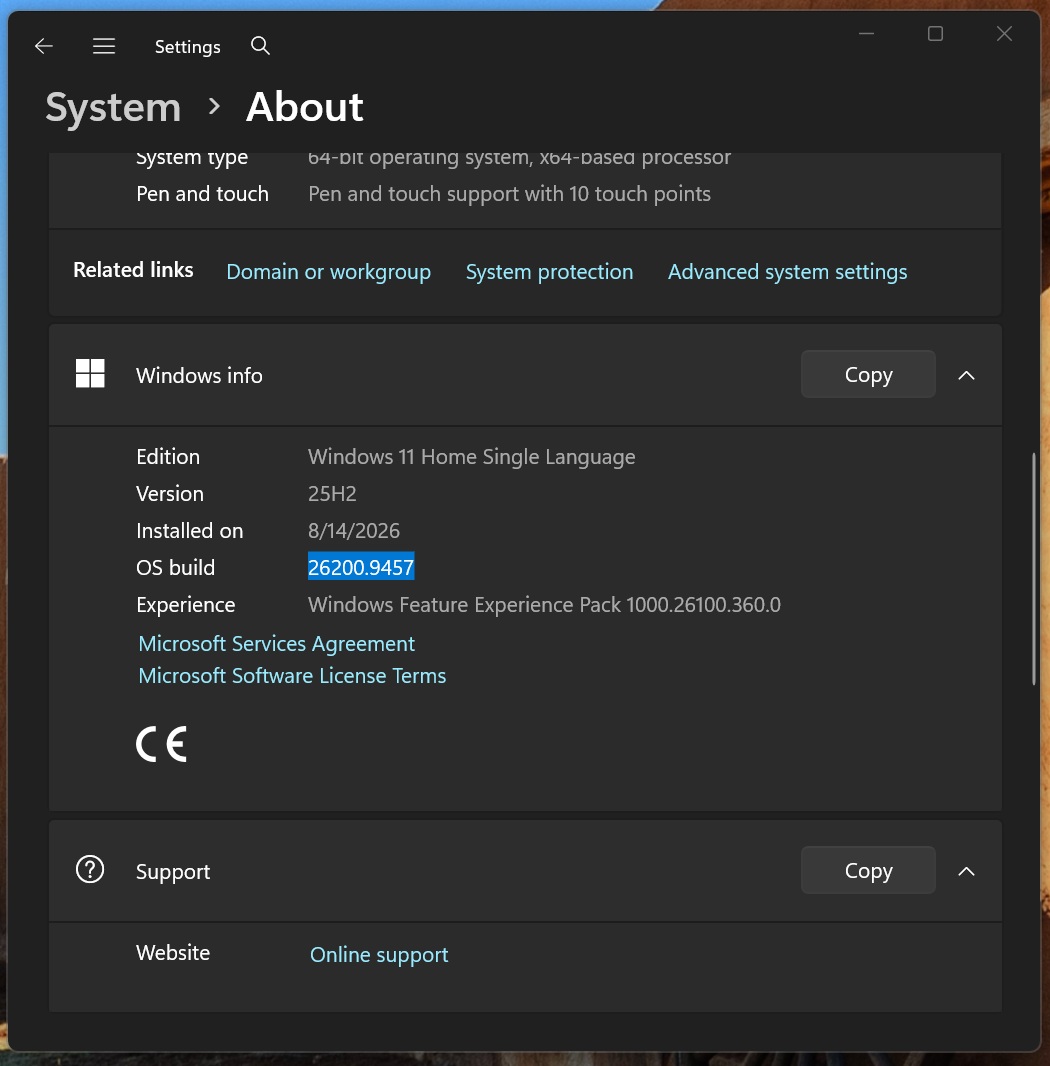
KB5129195 fully addresses those two issues. Because the emergency release is cumulative, it also includes changes from earlier updates, including the September Patch Tuesday release. The update advances Windows 11 25H2 to Build 26200.9457 and Windows 11 24H2 to Build 26100.9457. Users can check their installed build under Settings > System > About.
Audio and Enterprise Problems Remain
Despite resolving the Remote Desktop and Linux application failures, KB5129195 still causes audio problems on some PCs and creates difficulties for certain enterprise systems. Reports indicate that some domain-joined computers are losing their secure trust relationship with the domain, preventing users from signing in with their usual workplace credentials.
For consumers, the issue can leave affected devices without functional audio, regardless of which update they install during the month.
The problems do not affect every system, and MS has not disclosed how many users are impacted. However, the company has updated its support documentation to acknowledge both bugs in the emergency update that was intended to correct issues introduced by the September 2026 release.
MS warns that the update may produce no audio output and display the Device Manager error “This device cannot start (Code 10).” Another bug can leave the volume fixed at zero, with volume controls remaining completely unresponsive.
MS’s investigation has so far identified USB audio devices as affected, although user reports suggest the problem may be more widespread.
The precise timing of a resolution remains uncertain. MS says it is investigating the root cause and will provide further information when available.
Users who have not yet encountered audio failures could still experience them later because Windows 11 features and changes are often introduced gradually. The recent audio problem may be connected to an improvement included in the September updates. Nevertheless, most systems are unlikely to experience any issues.
Emergency Update Does Not Include a Fix for AMD GPU Errors
Reports also describe GPU problems on AMD-based PCs following the September update. Reported symptoms include driver timeouts, black screens, missing displays, and complete system freezes, even when users are not playing games.
The reports cover several Radeon graphics cards, indicating that the issue is not limited to a single model:
- Radeon RX 6600
- Radeon RX 7700 XT
- Radeon RX 7800 XT
- Radeon RX 7900 GRE
- Radeon RX 7900 XTX
- Radeon RX 9070 XT
Some users say that reverting to older graphics drivers does not resolve the failures, while uninstalling the September Windows update appears to help. This points to Windows Update as a possible factor, although the exact cause has not been established. KB5129195 does not list a fix for these AMD GPU errors.