Windows 11 26H2 Begins Rolling Out as the Windows 11 2026 Update
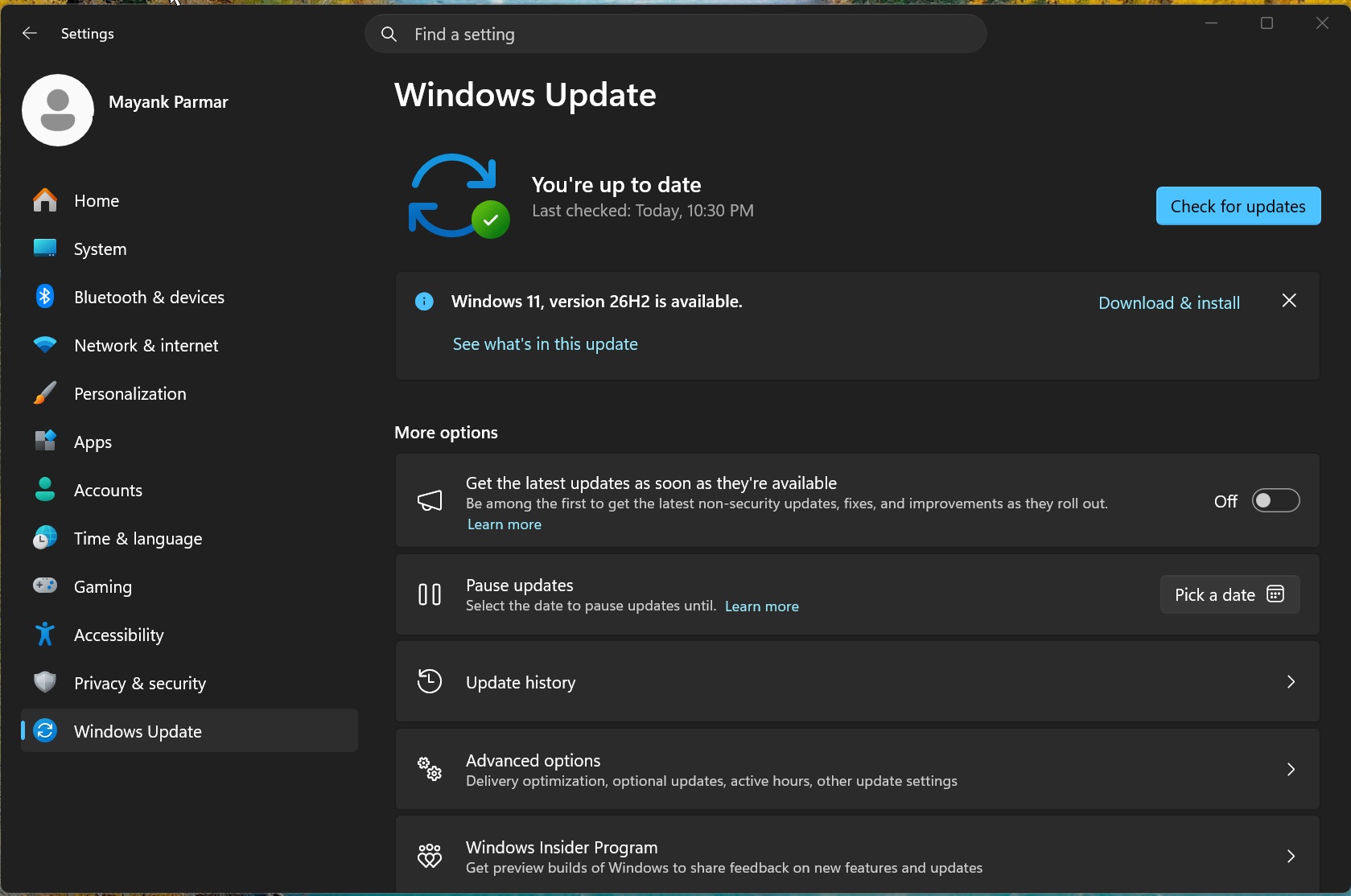
Windows 11 26H2, officially called the Windows 11 2026 Update, is now rolling out. When it becomes available for your PC, you can install it by opening Settings > Windows Update and selecting Download & install.
Although Windows 11 26H2 has been under development for several months, it is a relatively minor release. Users who have already installed recent monthly cumulative updates are unlikely to notice significant visual changes.
MS is currently prioritizing stability and core reliability. Because version 26H2 does not introduce a new underlying platform separate from versions 25H2 and 24H2, it should carry a lower risk of the bugs and compatibility problems associated with major platform upgrades.
MS confirmed that the public rollout began on September 29, 2026.
How to Download and Install Windows 11 26H2
Windows 11 26H2 is being distributed gradually as an optional update. If it has not appeared automatically, you can manually check for it through Windows Update.
Open Settings.
Select Windows Update.
Check for available updates.
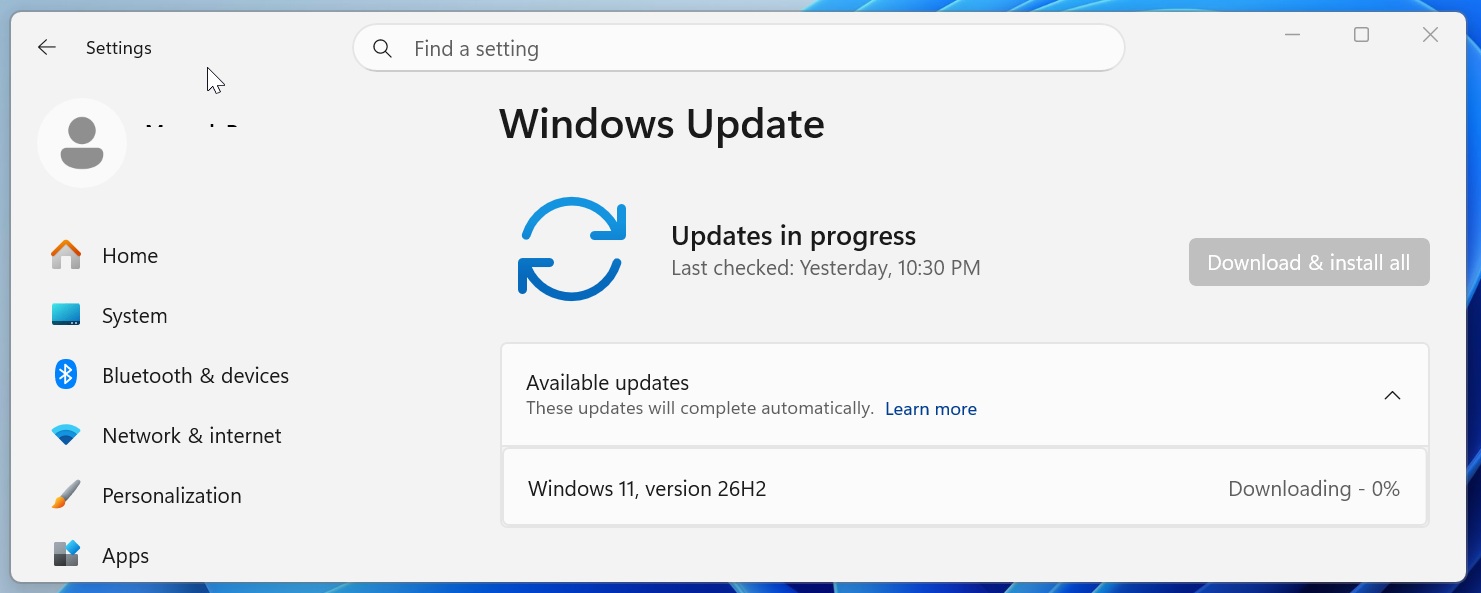
When Windows 11, version 26H2 appears, select Download & install.
If all recent monthly cumulative updates are already installed, the Windows 11 26H2 package is only 174KB. After installation, open Settings > System > About and review the version and build information under Windows specifications. If the listed version is 26H2, the upgrade is complete.
If Windows 11 26H2 does not appear, MS may have placed a safeguard hold on the device after identifying a known compatibility issue that could affect the upgrade experience.
If no compatibility issue exists, the update may simply not have reached the device yet. Because the rollout is gradual, manually checking for updates does not guarantee that version 26H2 will appear immediately.
Windows 11 26H2 Uses an Enablement Package
Windows 11 versions 26H2, 25H2, and 24H2 share the same underlying code. As a result, moving between these releases can take only a few minutes.
Selecting Download & install for the Windows 11 2026 Update downloads an enablement package, also known as an eKB. This lightweight package changes the operating system’s version and build number while retaining the same underlying platform.
An enablement package activates features that were already added to the operating system through previous monthly servicing updates. MS refers to this model as a shared servicing branch, which allows new features to be delivered monthly while reducing compatibility risks during version upgrades.
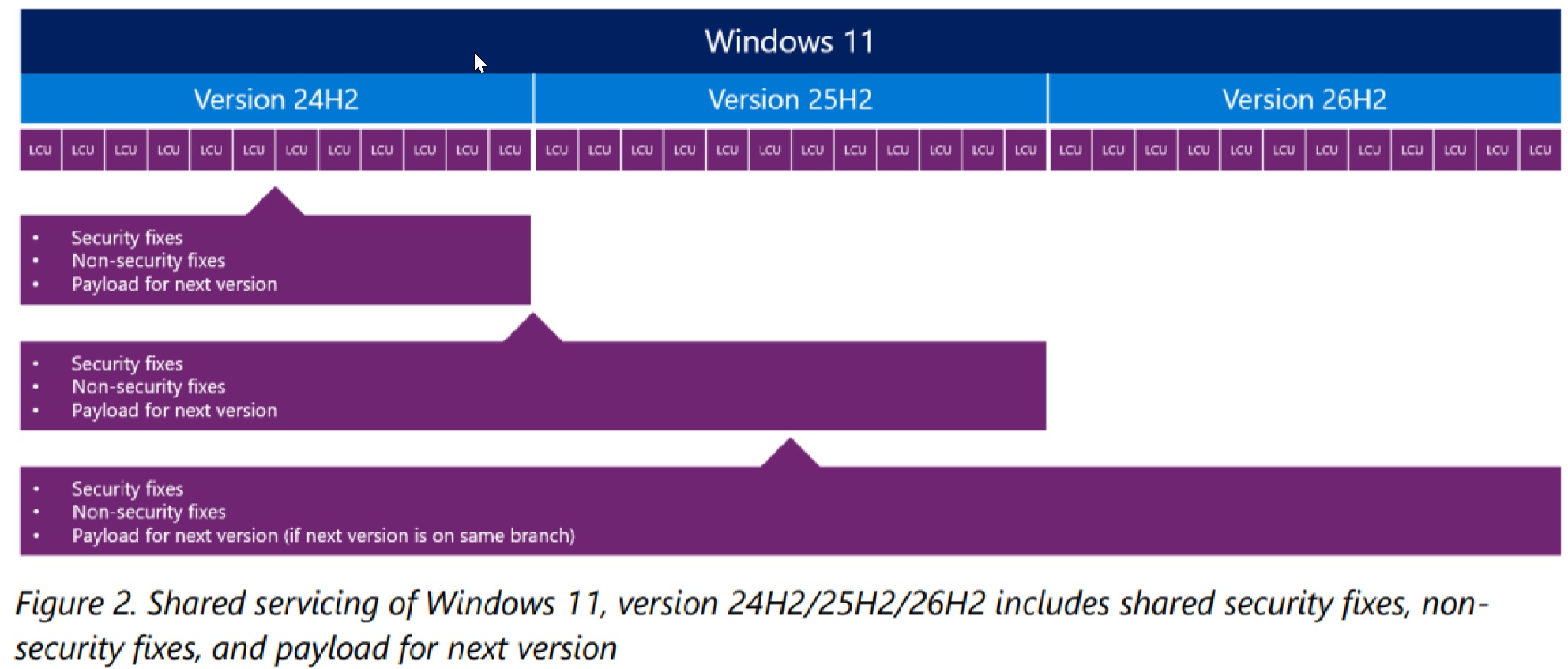
A shared servicing branch means that the same source-code branch is used to build and maintain multiple Windows versions.
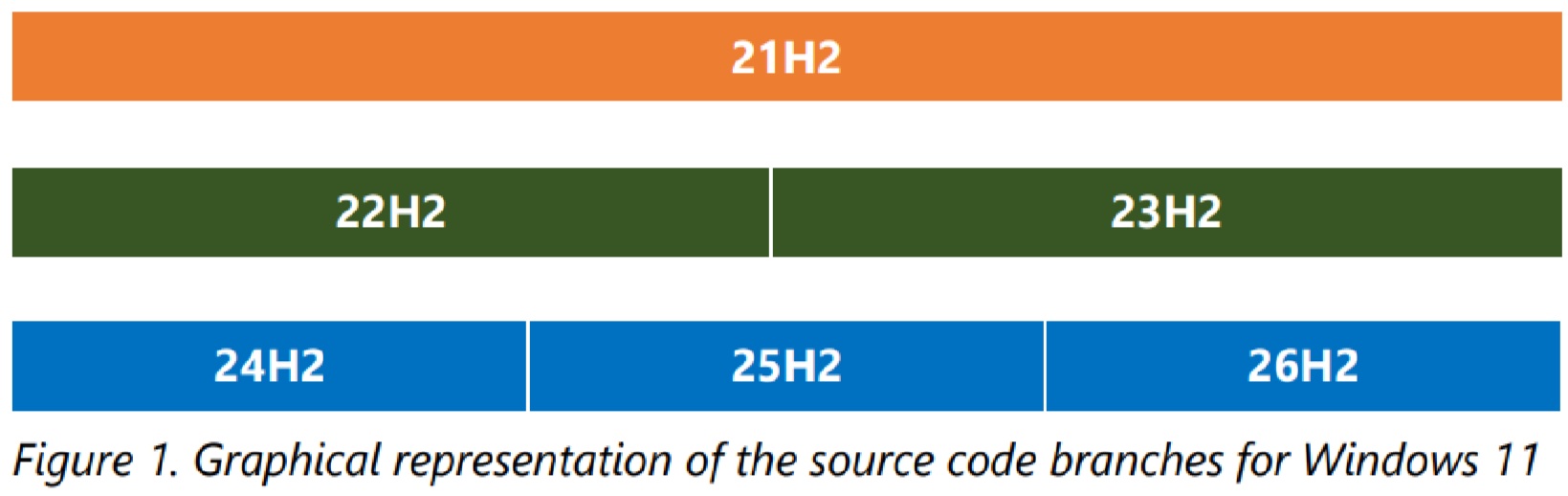
Windows 11 versions 26H2, 25H2, and 24H2 are based on the Germanium release, which debuted with Windows 11 24H2 in 2024. Upgrading between versions built from the same branch significantly lowers the risk of application or hardware compatibility issues.
Windows 11 26H2 does not have a separate set of exclusive features. Improvements delivered to version 26H2 are also being made available to versions 25H2 and 24H2, although support for version 24H2 ends in October 2026.
The shared code base also means that known issues can affect multiple versions. A bug present in Windows 11 25H2 will not necessarily disappear after installing 26H2. If an issue affects both versions, MS can distribute the same update package to resolve it.
Will Your PC Receive Windows 11 26H2 Immediately?
Devices running Windows 11 24H2 or 25H2 will receive version 26H2 as an enablement package as the rollout expands. Devices still running Windows 11 23H2 require a full operating-system replacement, resulting in a much larger download and a longer installation process.
New Arm-based PCs powered by Snapdragon X2 or Nvidia RTX Spark ship with Windows 11 26H1 and cannot upgrade to version 26H2. These Windows branches are expected to merge with Windows 11 27H2, which is planned as a new platform and major release in 2027.
What Is New in Windows 11 26H2?
MS’s feature list for Windows 11 26H2 is extensive, but the release mainly consolidates improvements delivered to Windows 11 25H2 during the previous year. Most of these capabilities did not become available for the first time with the 26H2 update.
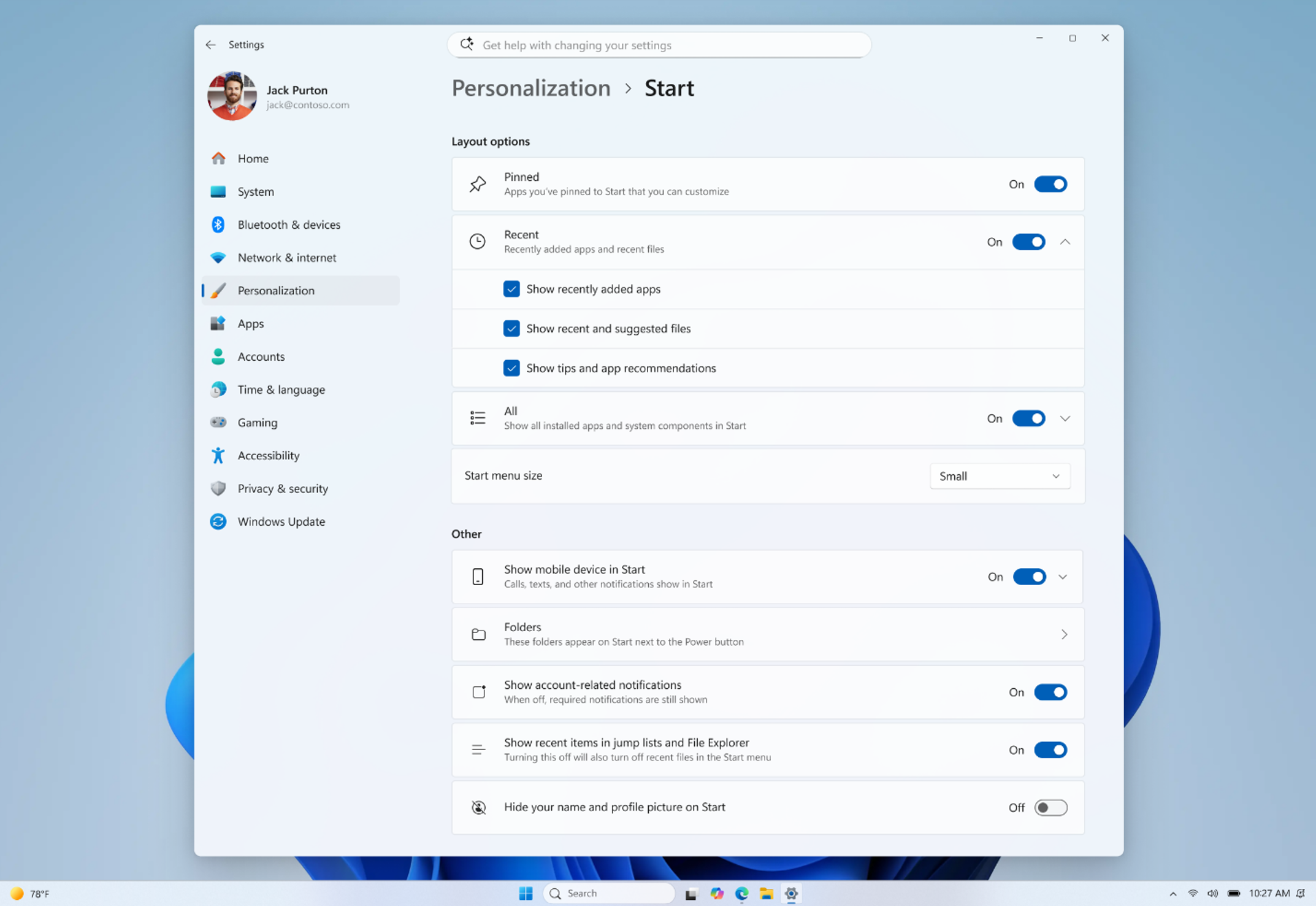
Start Menu and Taskbar
Highlighted interface improvements include new Start menu views and sizing controls, support for moving the taskbar to additional positions, and an option for a smaller taskbar. These features were already introduced through earlier monthly updates.
File Explorer
File Explorer includes AI actions for supported images, options for summarizing OneDrive and SharePoint documents, quick actions for work and school accounts, and support for additional archive formats.
Windows Search
Windows Search gains previews, improved handling of typing errors and partial application names, clearer result categories, and automatic indexing for frequently used folders. These changes are intended to make content easier to find without requiring an exact search term.
Accessibility
Magnifier adds more precise zoom controls and screen-tint options. Narrator receives Braille Viewer and other improvements, while Voice Access expands support for natural-language commands on compatible Copilot+ PCs.
These changes are useful, but users whose PCs already received them through monthly updates should not expect a substantially different desktop after installing version 26H2.
Windows 11 26H2 Resets the Support Lifecycle
Even if a device already includes most of the listed features, upgrading to Windows 11 26H2 remains important because it begins a new support window.
MS confirmed that servicing for Windows 11 26H2 started on September 29, 2026. Support periods are calculated from the release date.
This is particularly relevant for Windows 11 24H2 Home and Pro users, as support for those editions ends on October 13, 2026. The corresponding editions of Windows 11 25H2 remain supported until October 12, 2027.
Two Notable Default Changes for Enterprise Devices
Point-in-Time Restore
Point-in-time restore is enabled by default on enterprise-managed PCs with a Windows partition of at least 200GB. The feature allows organizations to restore a system to an earlier state if a problem occurs.
Windows Settings Backup
Windows settings backup, previously known as Windows Backup for Organizations, is enabled by default on eligible enterprise PCs.
The feature backs up Windows settings and the list of installed MS Store applications, simplifying migration to another PC. Organizations must still use separate solutions to back up other locally stored files.
Windows 11 26H2 is also available through Windows Autopatch and the MS 365 admin center.