Windows 11 Finally Removes the Default MSN Feed From Its Lock Screen
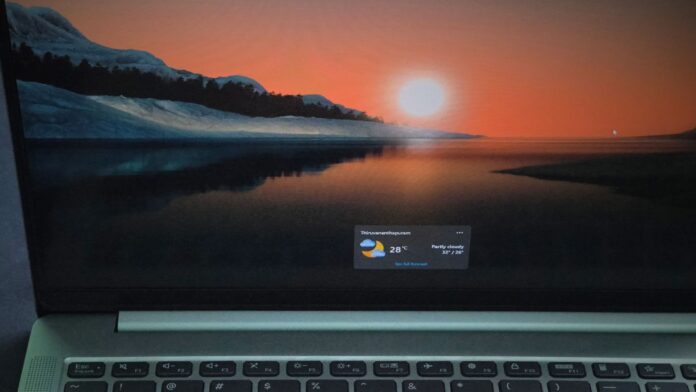
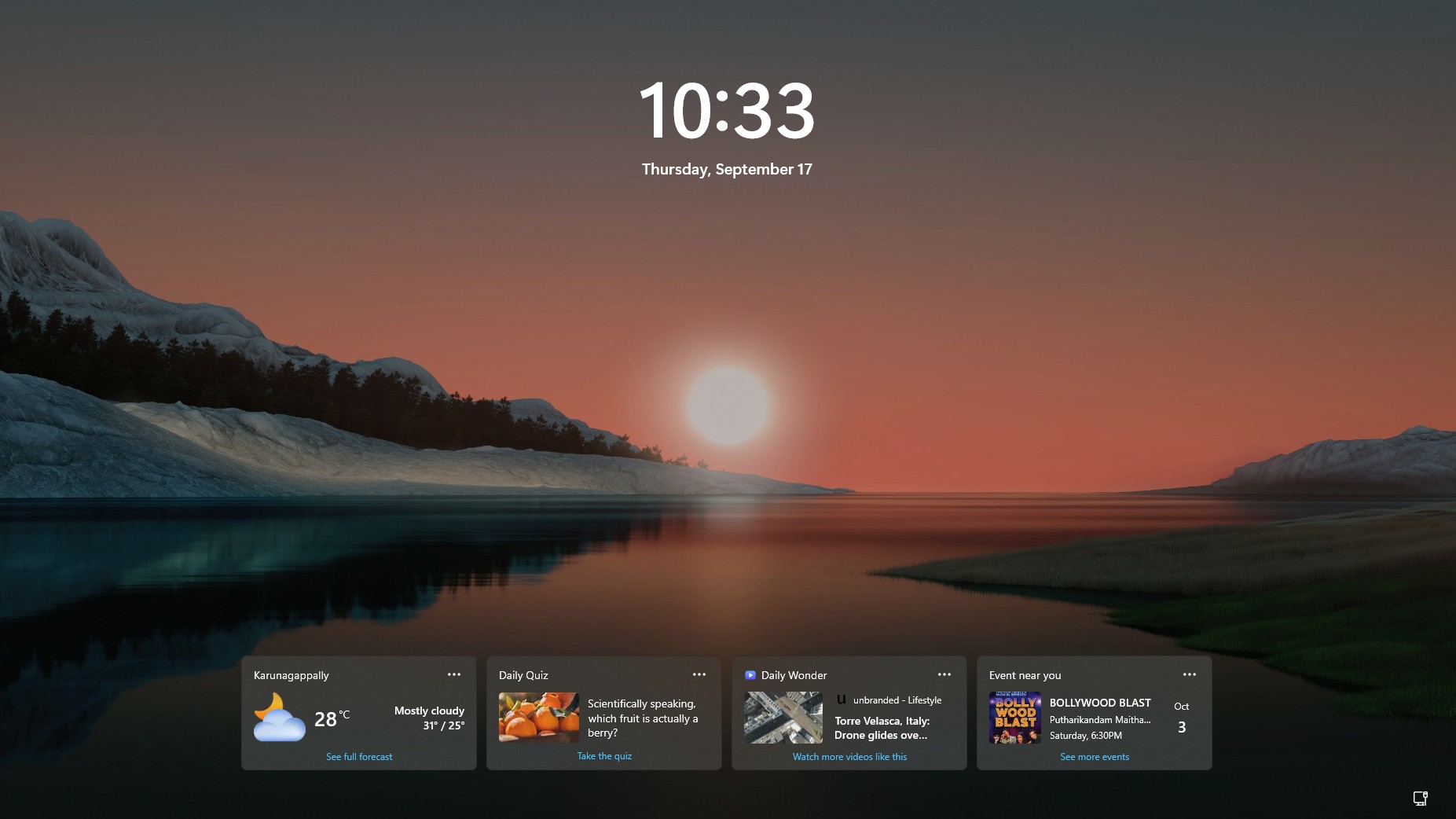
MS has quietly removed one of the most distracting elements of the Windows 11 lock screen. According to the company’s updated release notes, Weather is now the only lock screen widget enabled by default, while additional widgets can be added through Settings.
Windows 11 previously displayed Weather, Sports, Money, and other MSN-powered cards on the lock screen. MS later introduced controls that allowed users to choose which widgets appeared, but the default layout remained cluttered. The latest change creates a cleaner experience without presenting users with a miniature news portal whenever they view the lock screen.
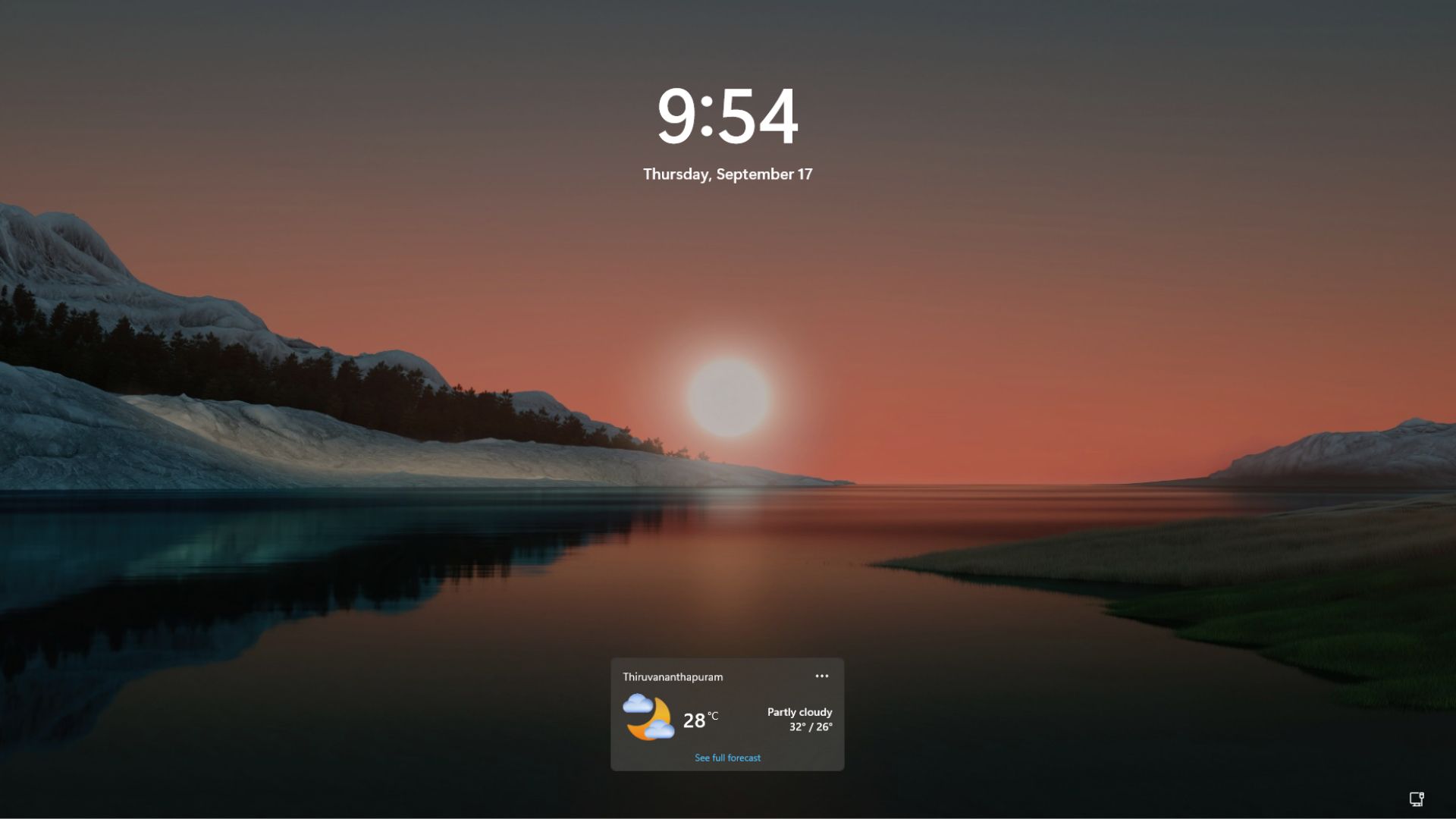
This is a welcome improvement, although MS’s current lock screen customization options still feel limited and visually underdeveloped.
MS Is Making the Windows 11 Lock Screen Quieter
The change appeared in the release notes for the August 27 preview update, which MS later included in the mandatory September 8 Patch Tuesday release. MS added the relevant release-note entry on September 14, nearly a week after the update became available.
MS explained that, to provide a quieter and more focused widget experience, Weather would become the only widget displayed by default. Other widgets remain available under Settings > Personalization > Lock screen. The change began rolling out to new users in July and is now reaching existing users.
Previously, the lock screen settings enabled Weather alongside several less useful cards, including Daily Wonder, Daily Discovery, and Events Near You. Following the update, only the Weather widget is active by default.
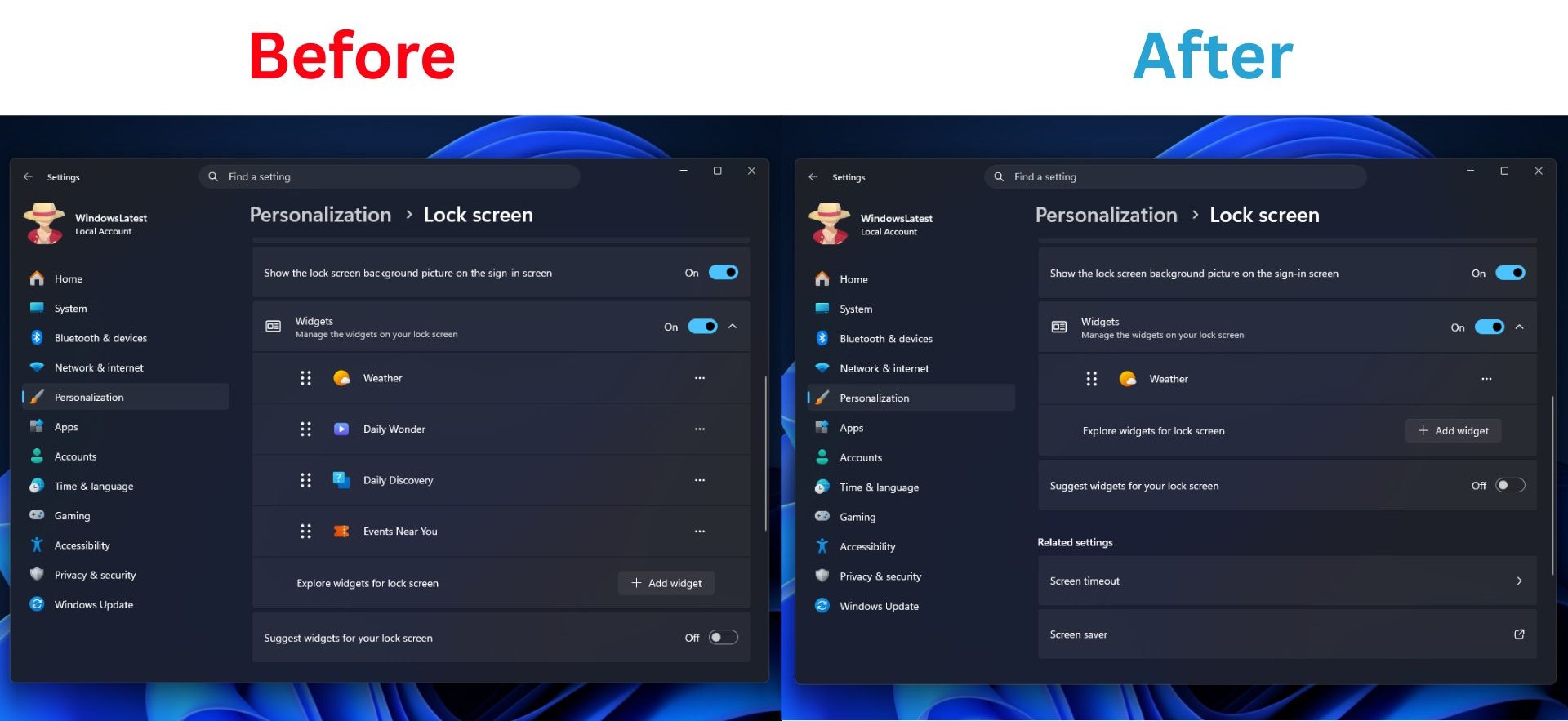
Users who want more information on the lock screen can open Settings > Personalization > Lock screen and select Add widget. Any compatible widget that supports the lock screen’s compact size can then be added.
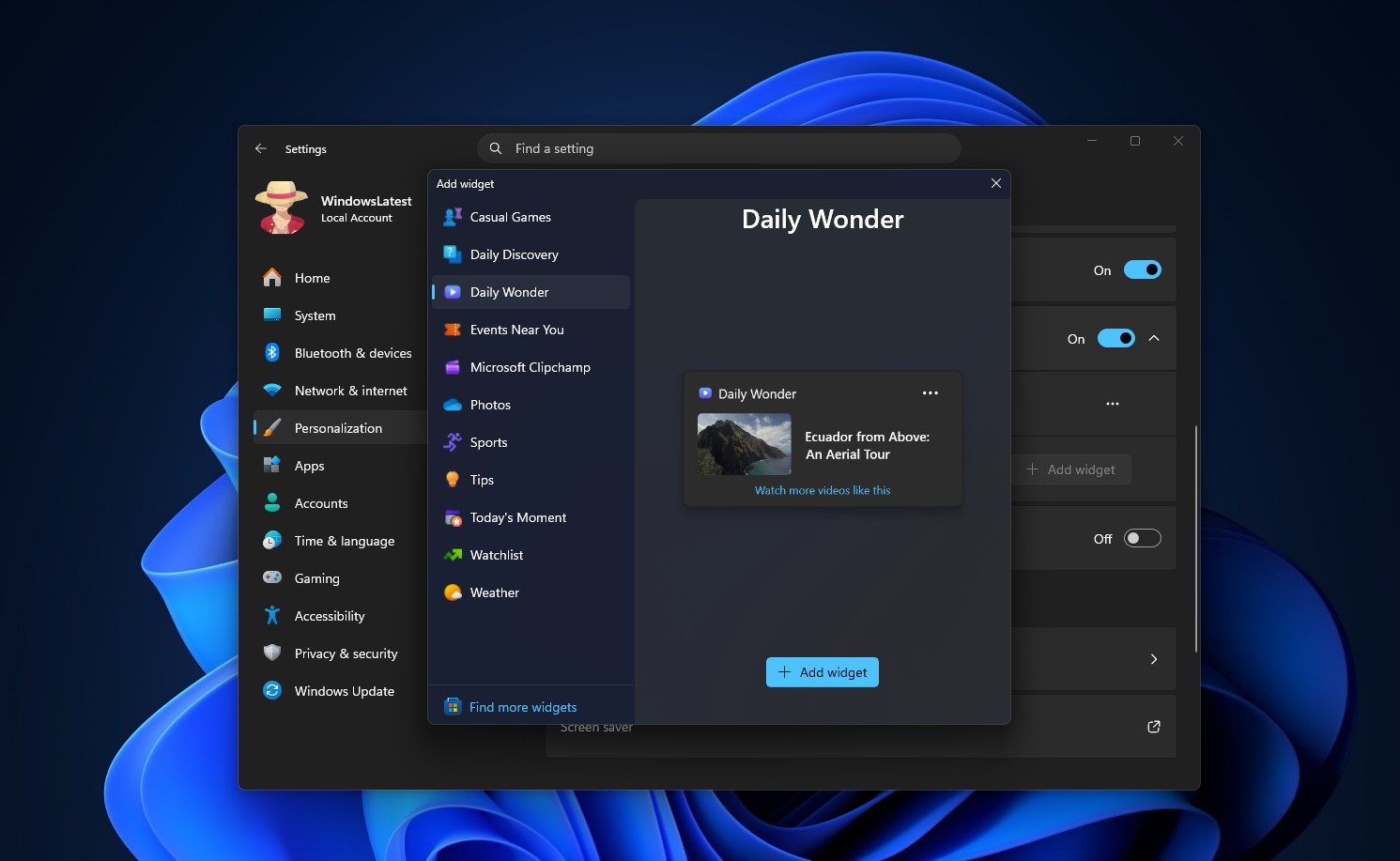
Those who prefer an entirely minimal experience can also disable lock screen widgets completely.
Related Issues With the September Update
The September 8 update, which also introduced a movable taskbar, caused several technical problems. These included Remote Desktop failures on some PCs, issues affecting Hyper-V and Windows Subsystem for Linux, and a loss of sound on certain USB audio devices. MS subsequently acknowledged the audio problem in an advisory.
The emergency KB5129195 update released on September 14 addressed the Remote Desktop and multichannel audio problems. MS added the lock screen widget change to the release notes at the same time.
Windows 11’s Lock Screen Has Improved, but More Work Remains
MS began placing MSN-powered Weather, Sports, Money, and traffic cards on the Windows 11 lock screen by default in March 2024. The feature received a mixed response, with many users objecting to the transformation of a frequently viewed system screen into another surface for MS-provided content.
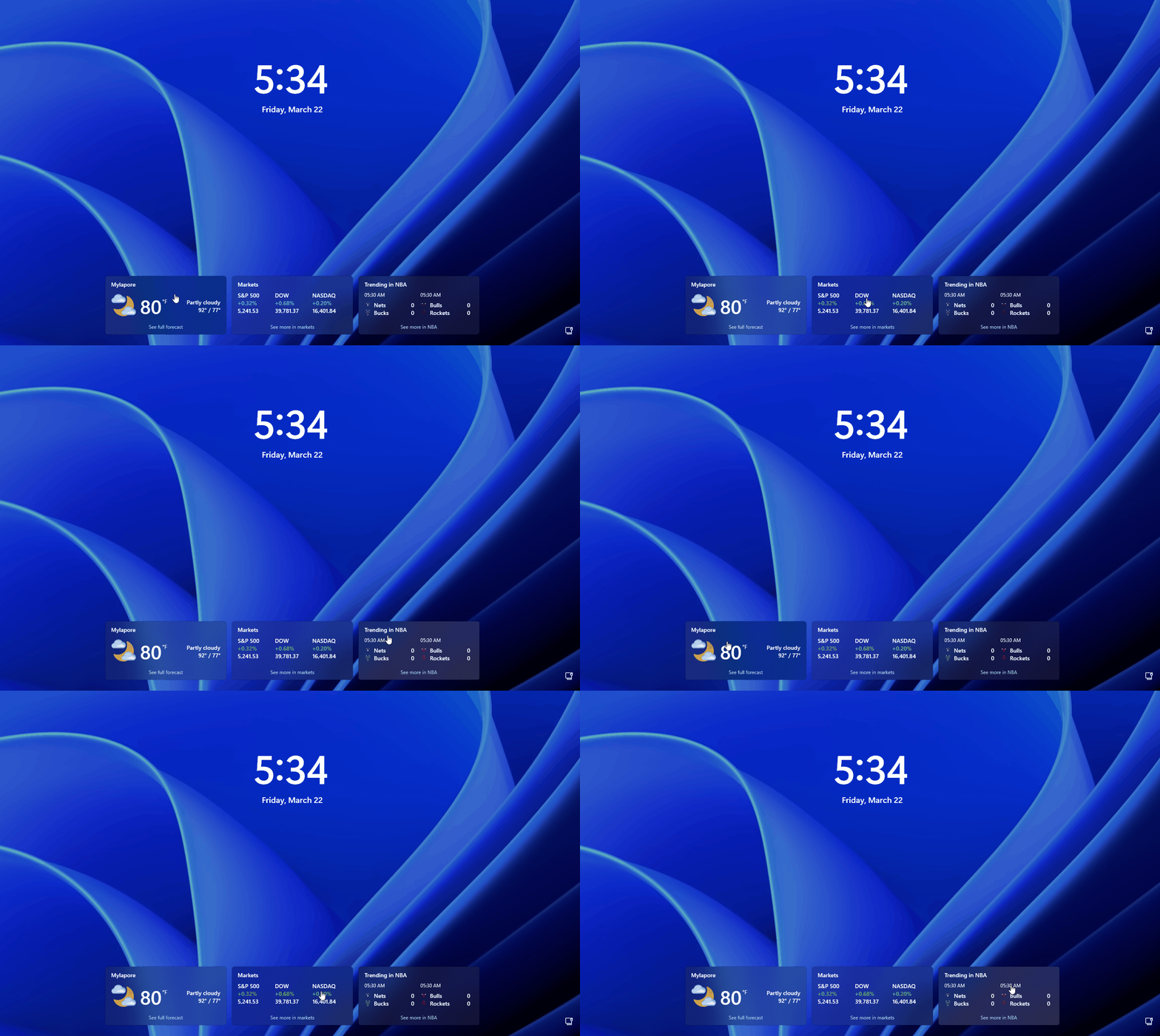
In February 2025, MS finally introduced lock screen widget customization. Testing showed that users could add, remove, and rearrange widgets, including compatible third-party options such as Spotify.
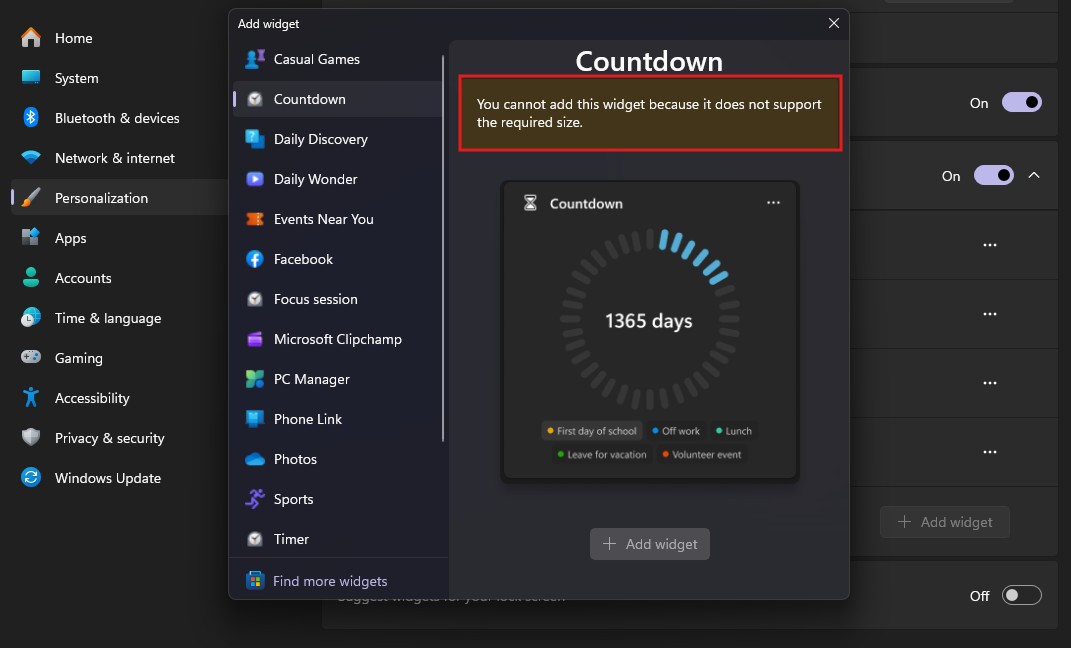
However, only widgets that support the lock screen’s required compact dimensions can be used. A Countdown widget, for example, would be practical on a lock screen, but Windows rejects it because it does not support the required size. This remains an unnecessarily restrictive limitation.
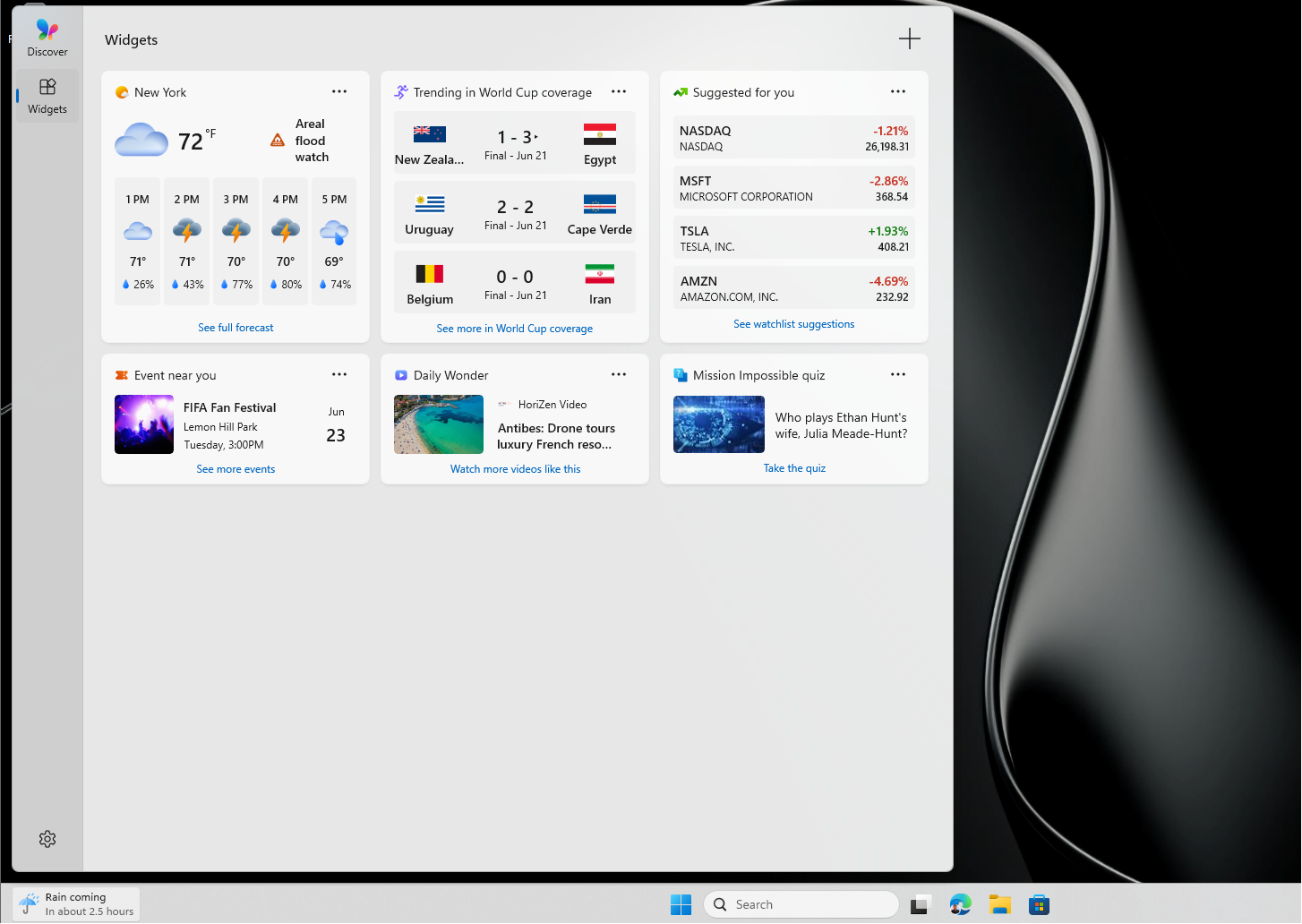
In May 2026, MS also disabled the MSN feed and advertisements in the Widgets panel by default. The company turned off hover-based opening and reduced taskbar alerts at the same time.
In July, Windows Search received a similar cleanup. The image of the day, daily quiz, and trending searches were removed from the interface, further reducing the presence of MSN content across Windows 11.
Customization Still Feels Limited
Despite these improvements, the widget catalog remains small, and many available widgets do not support the lock screen’s size requirements. Windows 11 would also benefit from more flexible clock customization and visual effects comparable to the blur and depth treatments available on iPhone lock screens.
Animated profile pictures could make the experience feel more personal. Registry-based workarounds have already demonstrated that Windows can technically display an animated GIF as an account image, including on the lock screen, even though MS does not officially support the feature.
Windows 10 also gave its lock screen more character through Windows Spotlight. A New Zealand beach image shown on the Windows 10 lock screen recently attracted widespread attention, highlighting how memorable the experience can be. Windows 11 has not received the same level of attention in this area, particularly after numerous Windows 10 features were delayed or removed during the transition.
Resource usage is another unresolved concern. MS has not clearly explained how much memory lock screen widgets consume when active, despite the broader Widgets experience already being relatively resource-intensive.
A Cleaner Lock Screen Is a Good First Step
MS’s decision to make the Windows 11 lock screen less dependent on MSN content is a welcome improvement. However, removing clutter should be only the beginning. Windows 11 still needs a lock screen that feels personal, useful, and thoughtfully designed rather than one that simply displays fewer elements.